
How I Built a Tool to Search and Visualize My Entire ChatGPT History
Turning a massive data export into a simple local app with search, statistics, and a GitHub-style activity view

I often use ChatGPT for brainstorming. When I have an idea, I brain-dump it in dictation mode, and ChatGPT helps me organize my thoughts and formulate the right questions. Sometimes I switch to research mode to explore existing solutions or what has already been implemented for my idea.
A while back, when the first cohort of my AI Engineering Buildcamp course on Maven launched in September 2025, I was considering my next project to be a course continuation. I discussed it with ChatGPT, created a solid outline, but then got busy with Buildcamp and couldn’t develop it further.
Later, I wanted to find that conversation. I tried using the ChatGPT search, but it couldn’t locate it. I manually scrolled through the chat history and searched for keywords, reviewing many messages. I thought it was from December, but I wasn’t sure. The search proved ineffective.
Eventually, I decided the idea was lost and that I would need to start over. While the thoughts themselves weren’t entirely gone, the structure I’d built seemed to be lost. Some time later, I noticed that ChatGPT has a data export feature. I downloaded it, but my Windows laptop couldn’t open the file properly. Claude Code managed to extract the most important content, but I didn’t want to sift through a 155 MB JSON file to find the necessary conversation.
That’s how I came up with the idea for a tool to help me easily visualize and search ChatGPT’s conversation history. I called it the ChatGPT Data Viewer and built it overnight with Claude Code.
In this post, I’ll walk you through how I did it and how you can use ChatGPT Data Viewer too.
ChatGPT Data Export
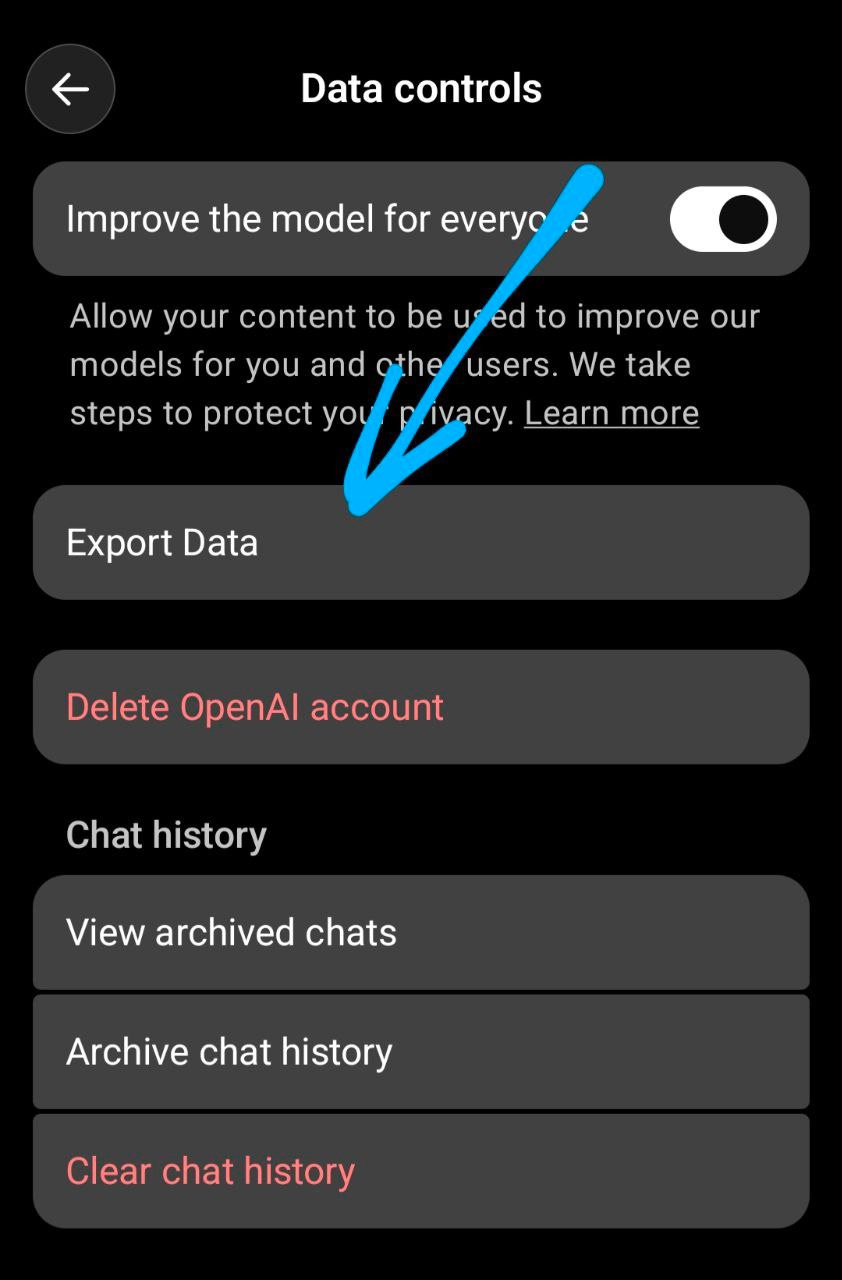
As I mentioned in the intro, I started by exporting data from my ChatGPT account.
Here’s how I did it:
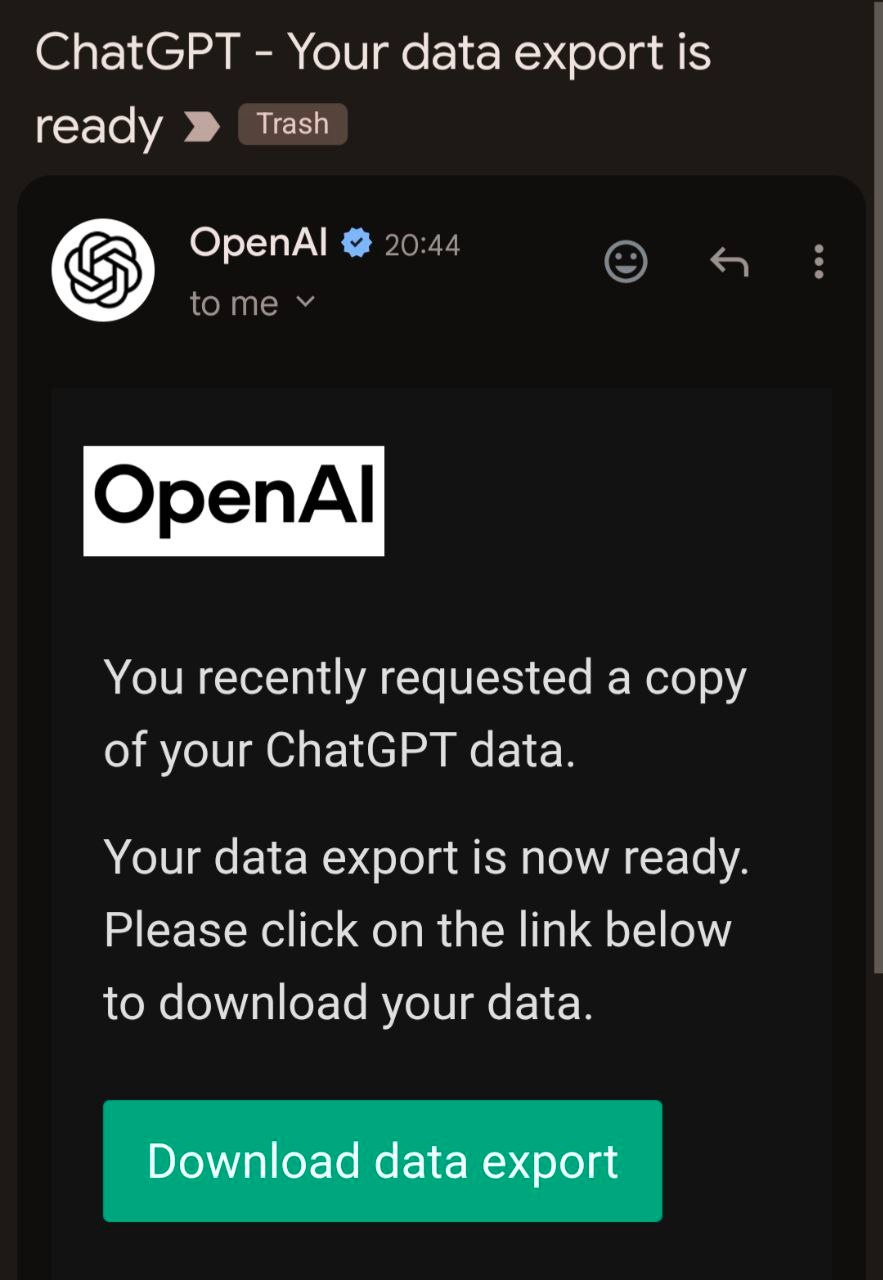
A few minutes later, I received a notification that my export was ready.
The download was 775 MB! Yes, I talk to ChatGPT a lot.
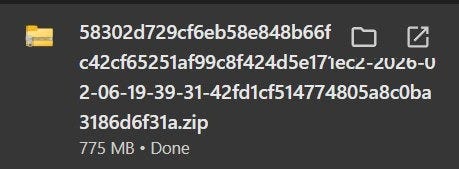
The exported download file - 775 MB of conversations
It turned out that the ZIP file from ChatGPT was incomplete. Windows couldn’t open it. I tried downloading it twice with the same result.
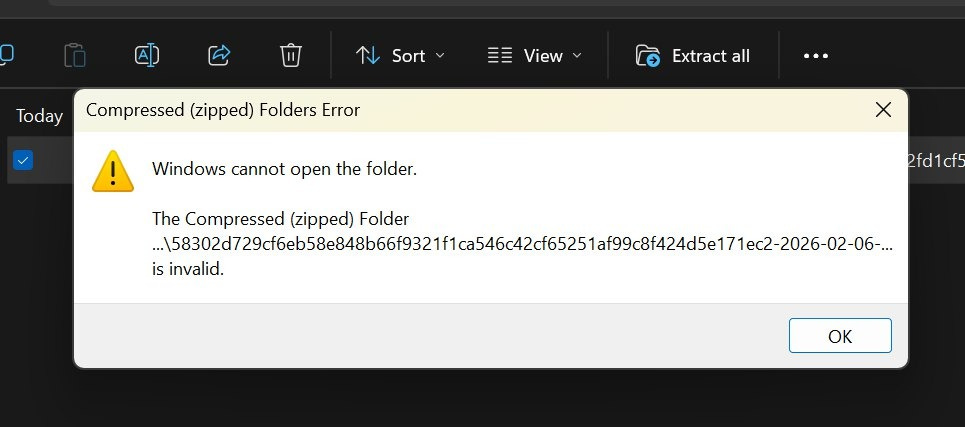
But Claude Code could still extract the most important content.
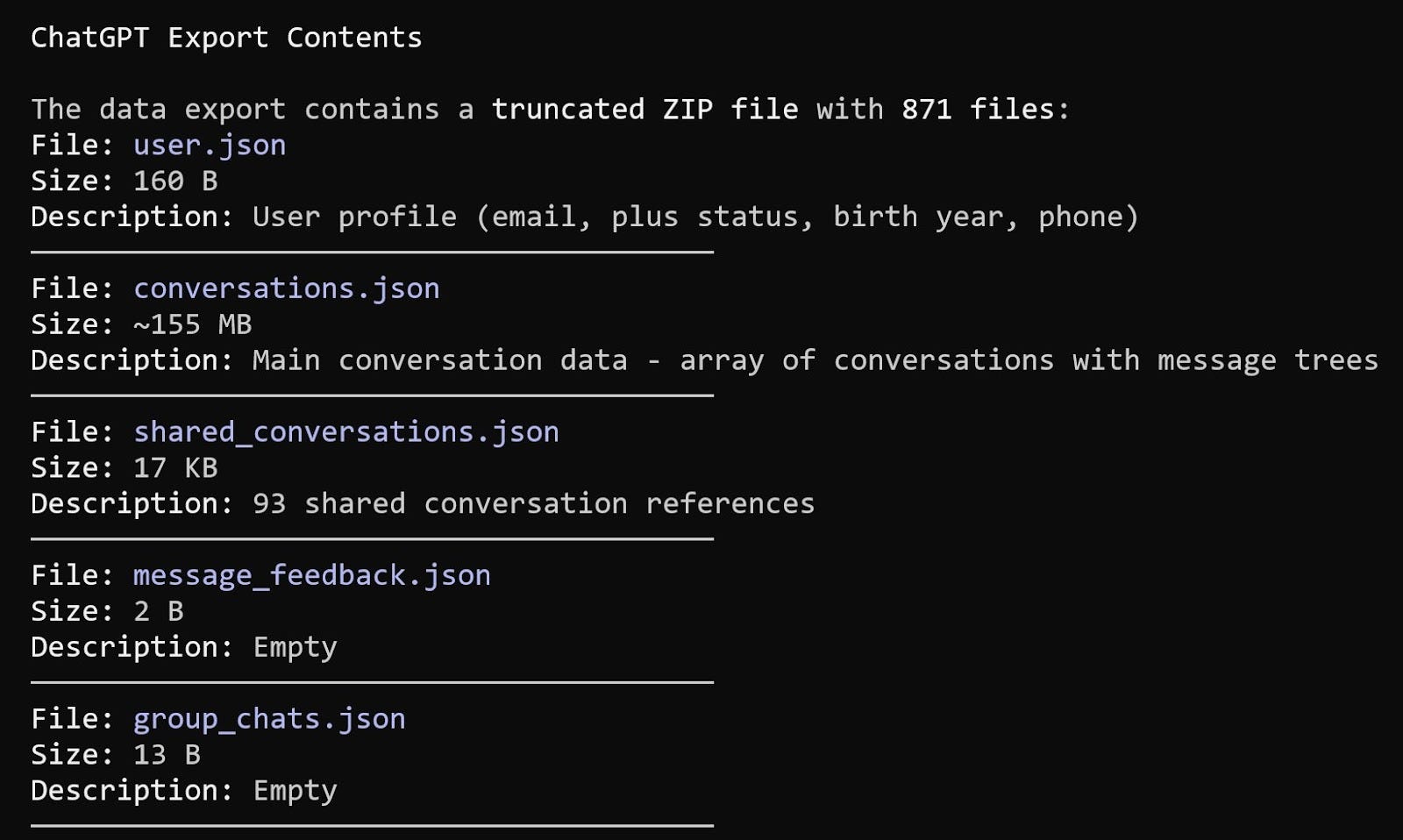
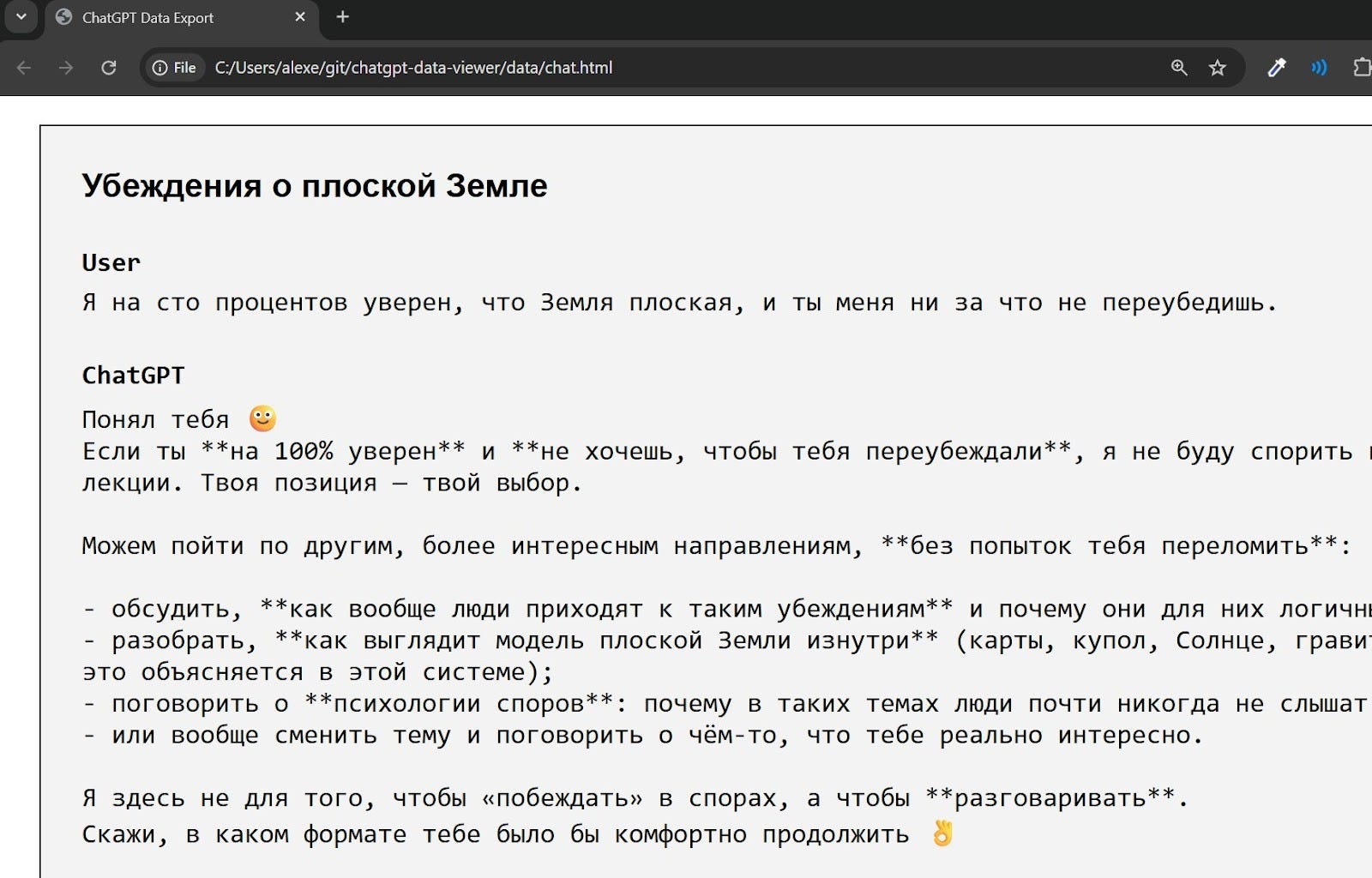
There’s also chat.html data (160 MB) that visualizes the conversations, showing example threads like a discussion of flat-earth beliefs:
Implementation
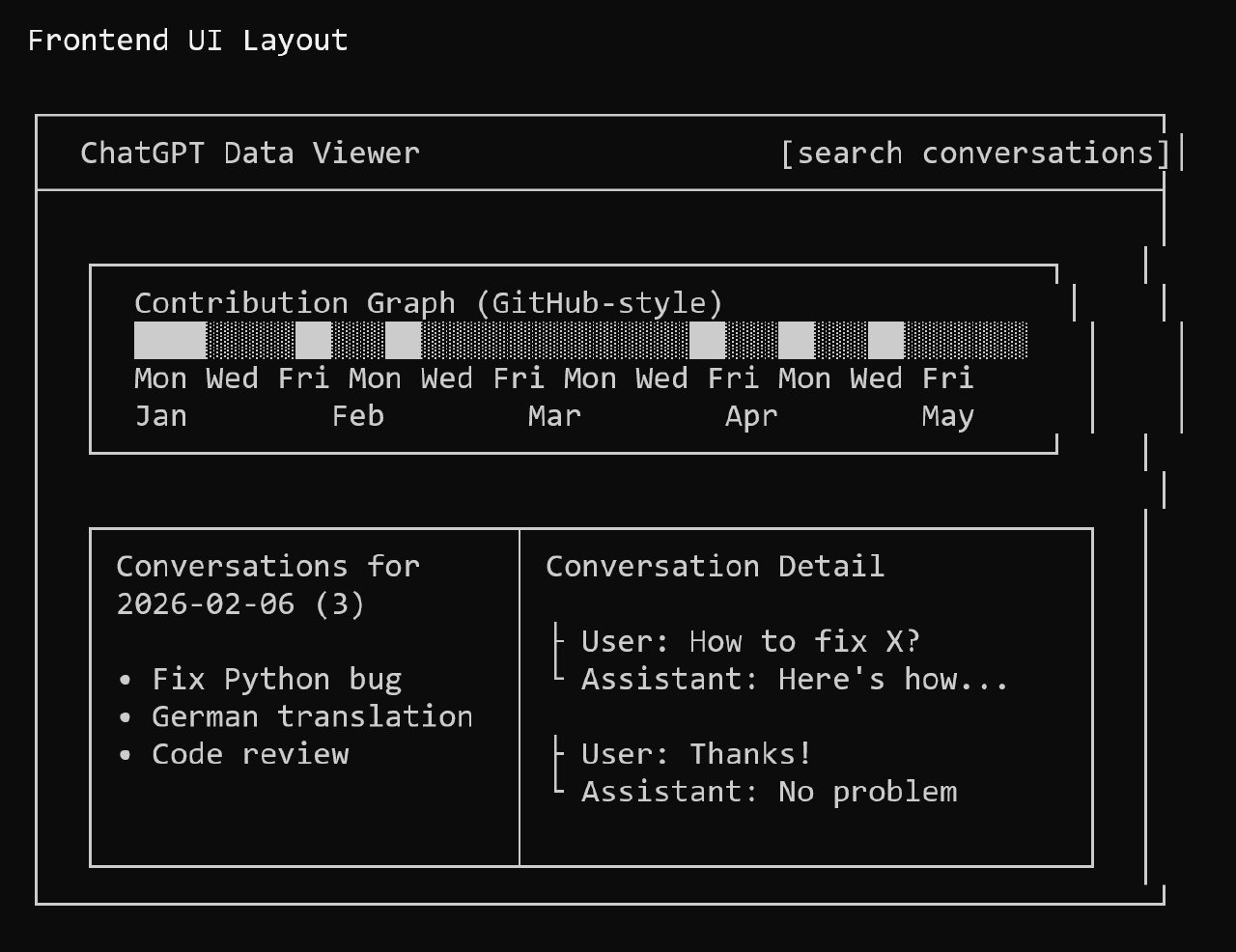
I had a large conversations.json file that contained the main conversation data, and I wanted to visualize it. My initial idea was to create a contribution graph similar to GitHub’s, allowing me to click on any day to see the relevant information.
I discussed this concept with Claude, and here’s the mockup of the UI design that we came up with:
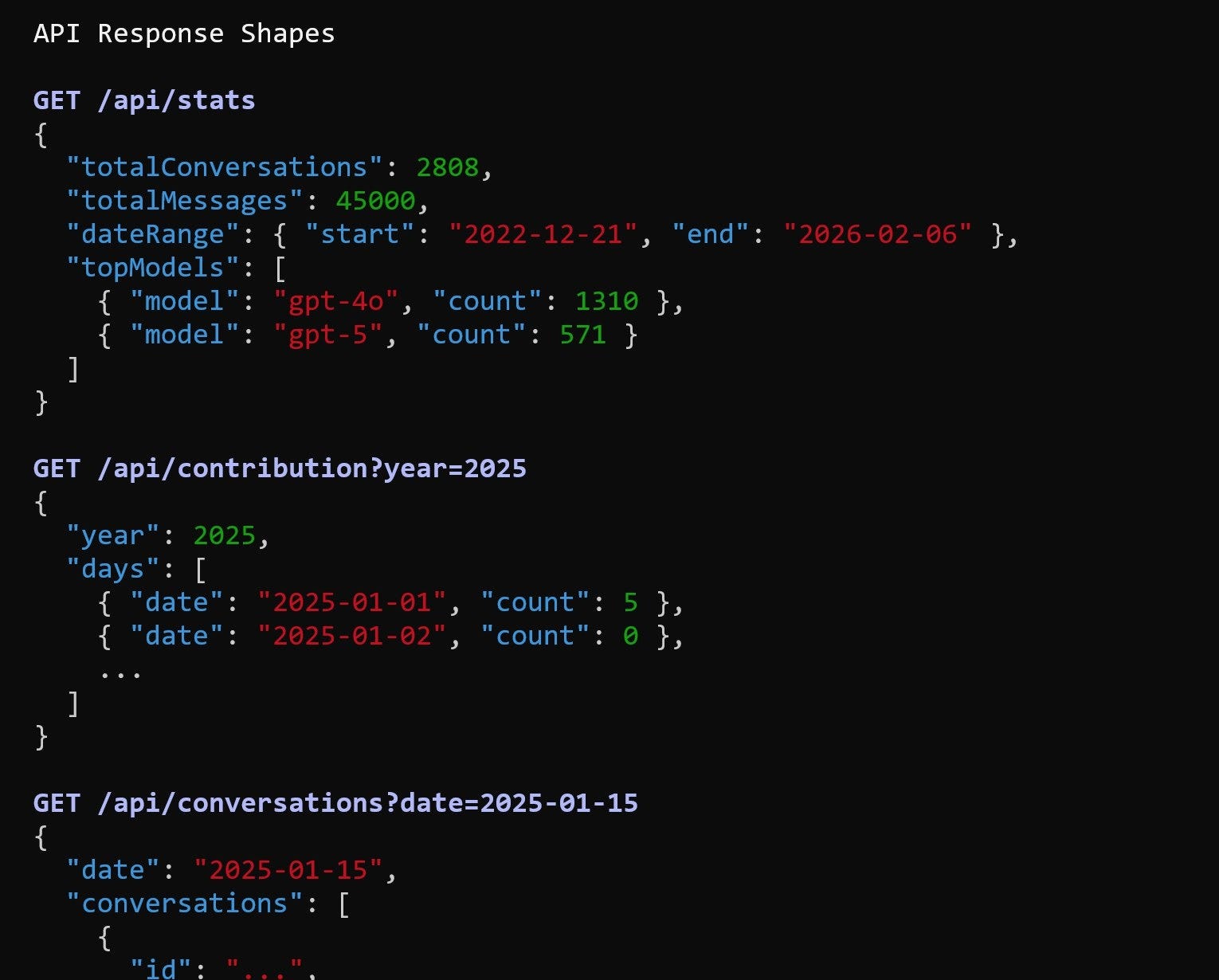
Clause also suggested that we need to specify the API response format. Here’s what it came up with:
I then described how the application should look to Claude Code. We planned both the backend and frontend for visualization:
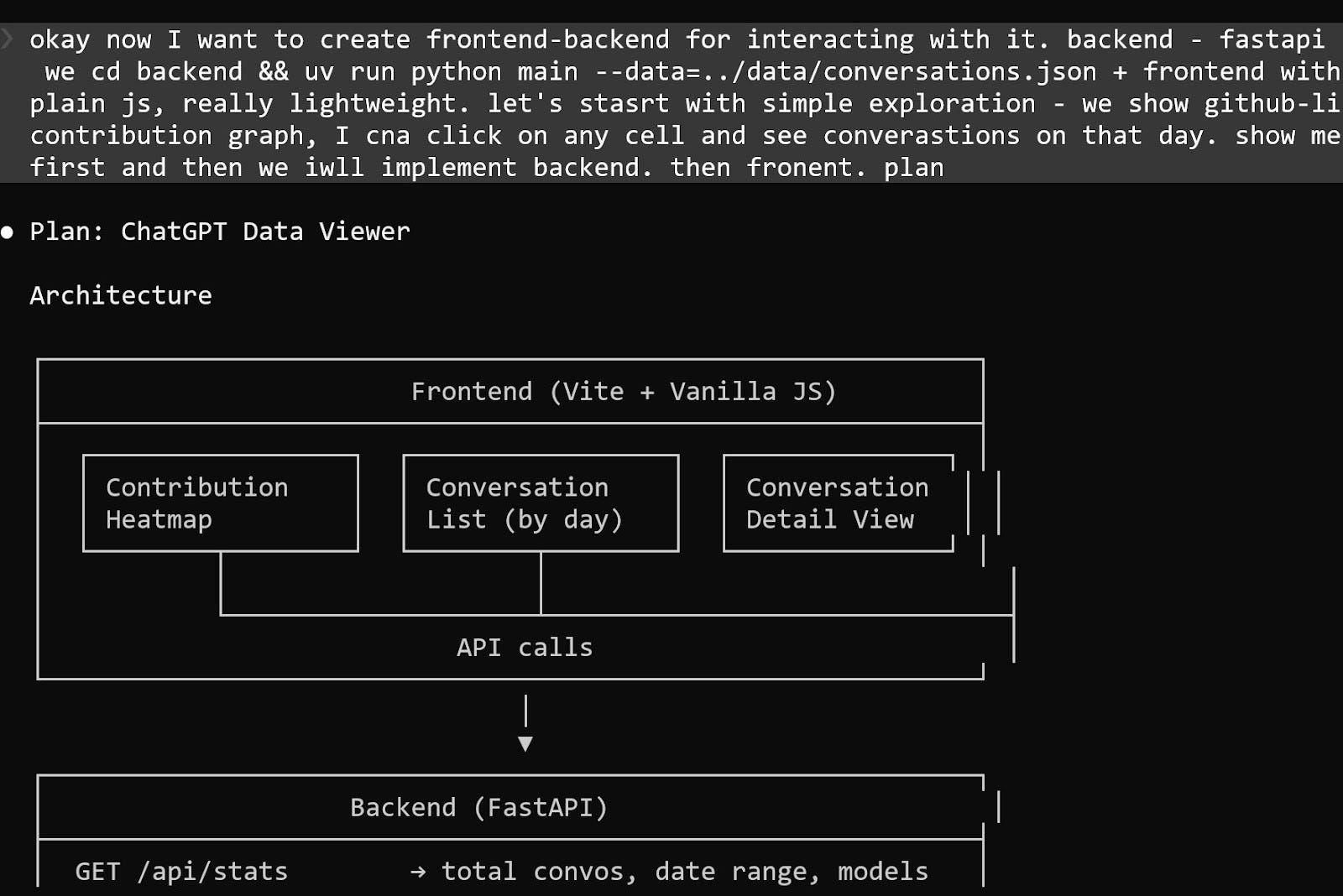
Once the plan was finalized, I asked Claude Code to create the appreciation based on it.
We did not conduct any tests or follow Test-Driven Development (TDD). The entire development workflow was as follows:
I obtained the data from the ChatGPT export.
I asked Claude to examine the data within a corrupted ZIP archive.
We reviewed the data together.
I asked Claude questions about the contents.
I inquired about what the API and models should look like.
I did not examine the code myself; Claude managed the implementation entirely.
Final Result: A Ready-to-Use Library
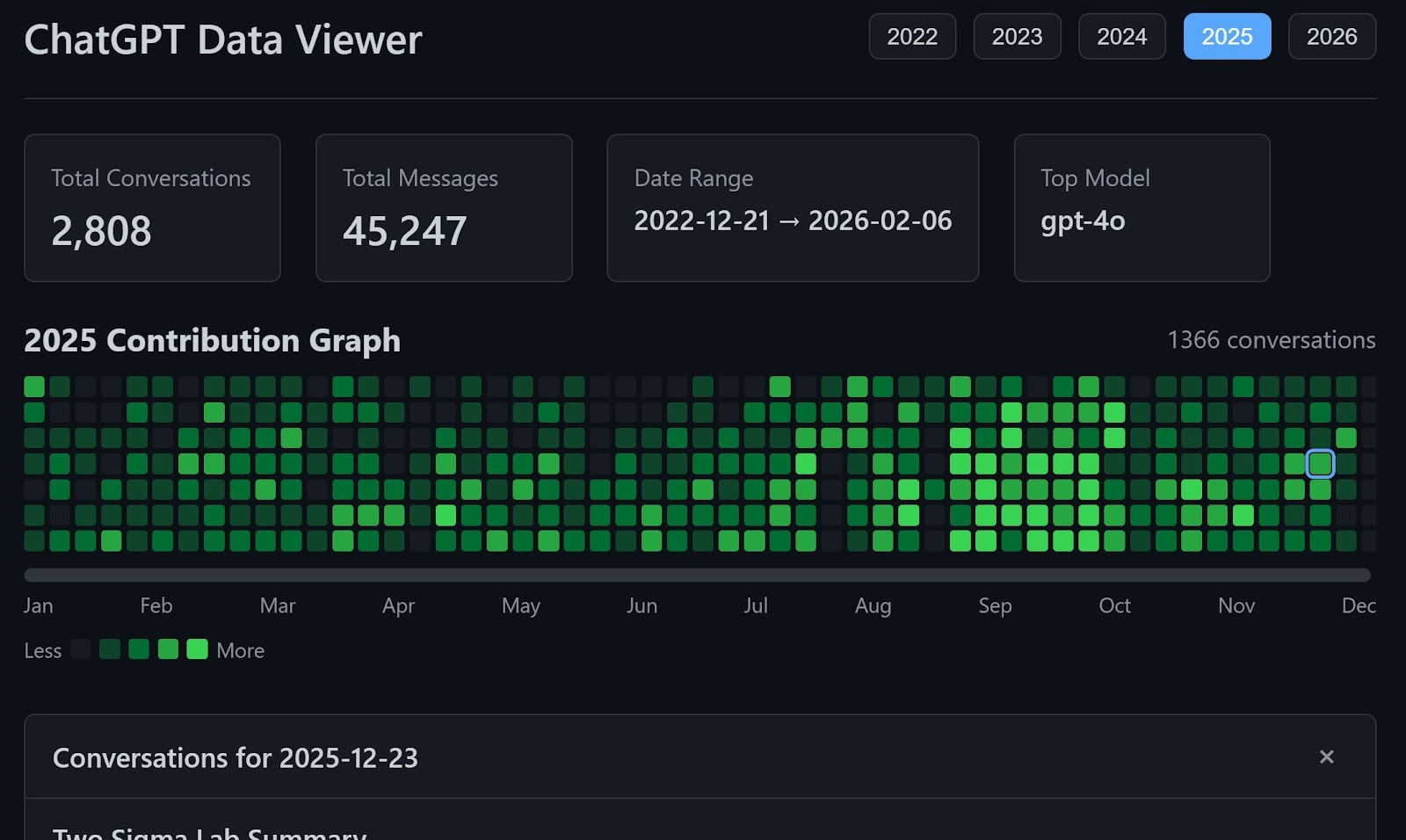
The first working version came together quickly. In 1-2 iterations, the core functionality was stable. The total time spent was approximately 2-3 hours, including:
Requesting and downloading the data export
Handling and extracting data from a corrupted ZIP archive
Building the initial implementation
Refining the design and structure
The final architecture was simple, but included all the necessary components to meet my requirements:
The backend is built with FastAPI in Python. All backend logic lives in a single file, main.py, which keeps the application easy to inspect and modify.
The frontend is written in vanilla JavaScript and bundled with Vite. It consists of two JavaScript files. The entry point is main.js, which imports only style.css and app.js and then calls init(). The actual application logic resides in app.js.
Search functionality is powered by minsearch.
The backend also serves the frontend. FastAPI mounts the built frontend/dist/ directory at the root path using StaticFiles. This means a single FastAPI server handles both the API endpoints and the user interface. There is no need for a separate frontend server, reverse proxy, or additional deployment setup.
The result is a compact, self-contained application that can be run and deployed with minimal configuration.
What I Learned about My ChatGPT History
After exporting my ChatGPT data, I analyzed the archive to understand how extensively I had been using it.
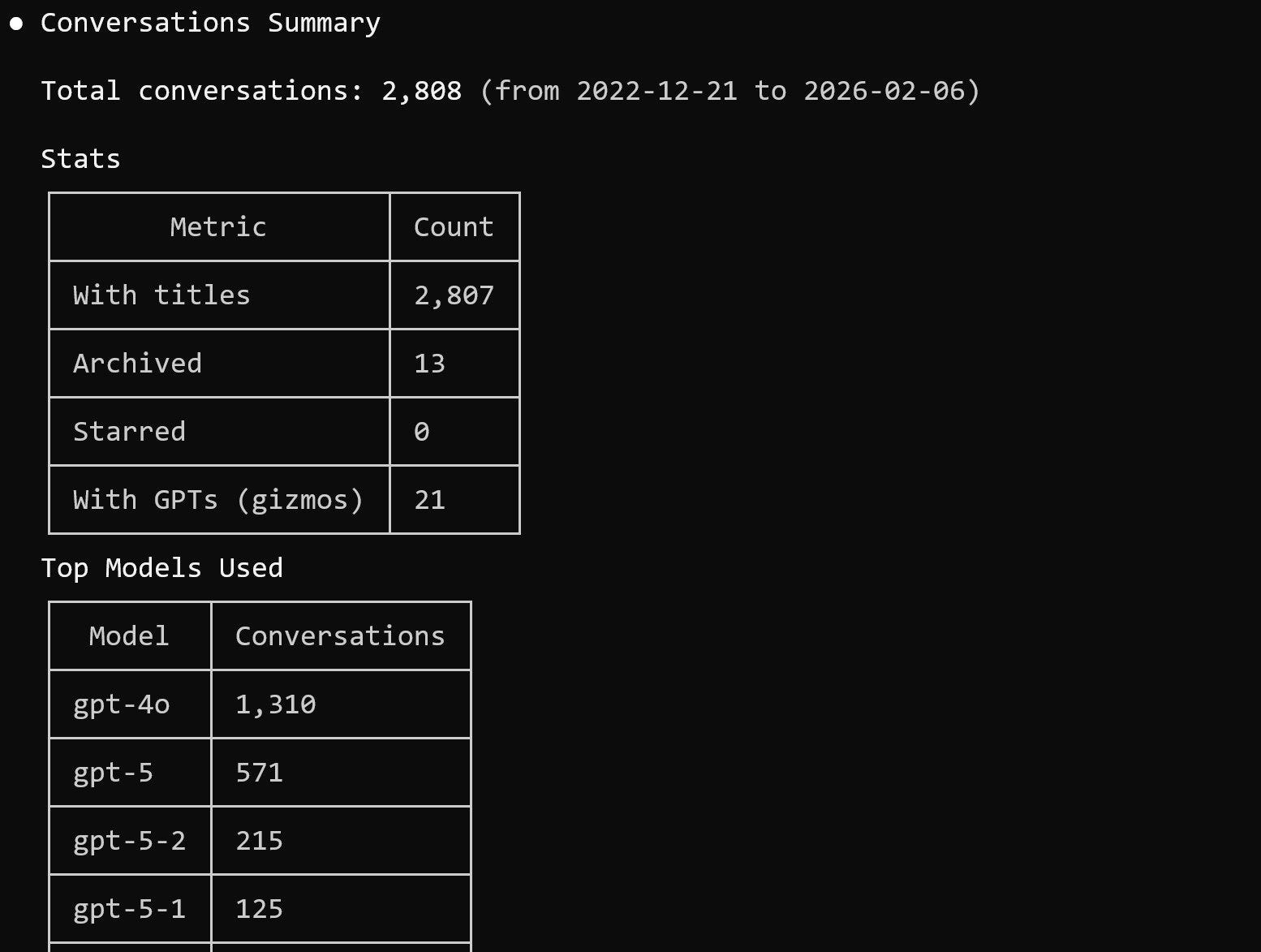
Here are the numbers:
Total conversations: 2,808
Total messages: 45,247
Time span: 2022-12-21 to 2026-02-06
Most used models: gpt-4o and gpt-5
The volume alone was surprising. Over multiple years, this effectively became a searchable record of projects, experiments, drafts, and research threads.
My First ChatGPT Conversation
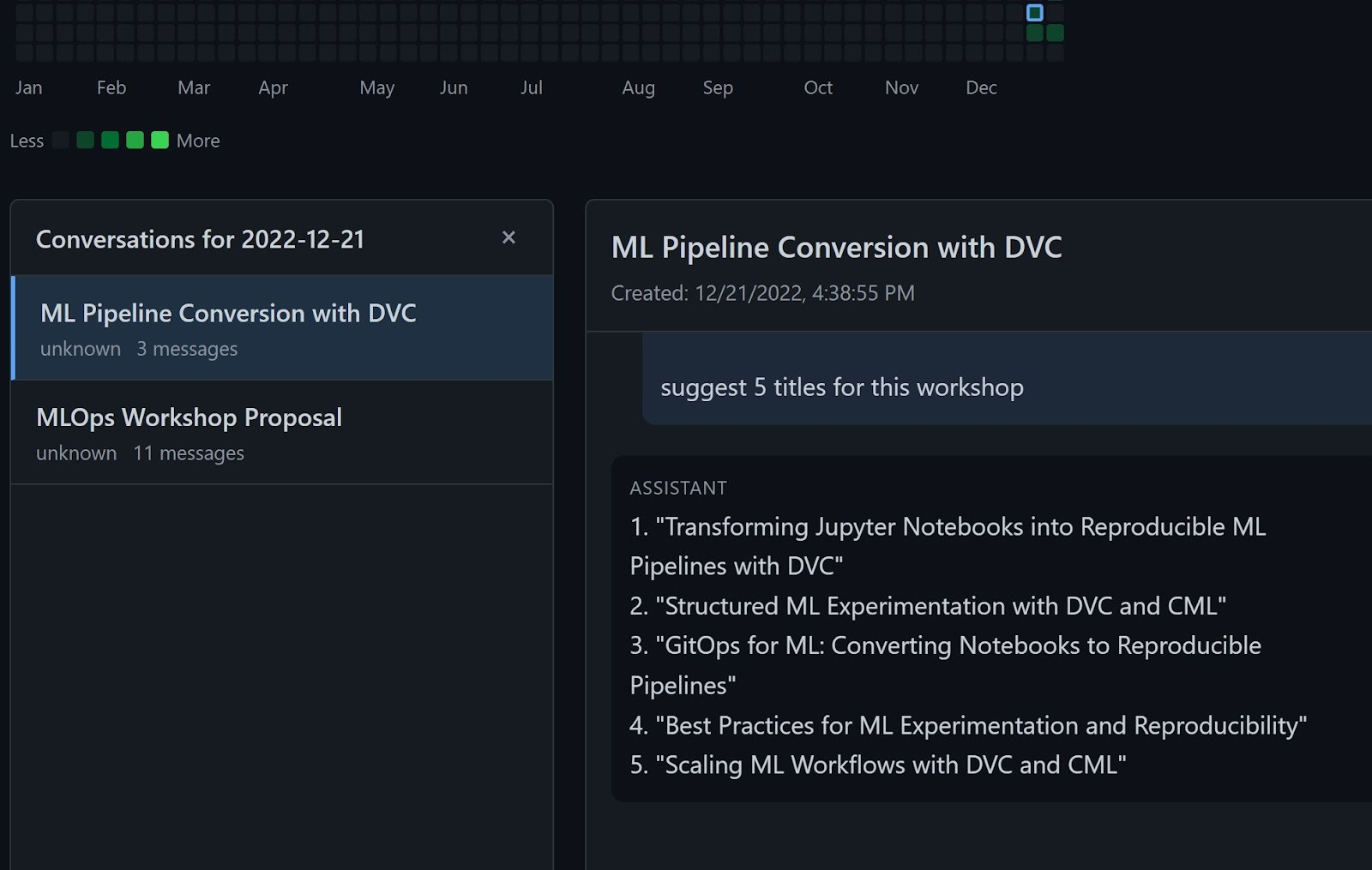
Out of curiosity, I wanted to look at the earliest saved conversation, which was from 2022-12-21. It was about MLOps workshop proposals and converting ML pipelines using DVC.
It is interesting to see how the early usage focused on practical infrastructure topics. Over time, the conversations expanded into research, product design, architecture planning, and content strategy.
Finding the Lost Conversation
I quickly found the course conversation on my first search. The first two chats were exactly what I needed. The search process is instantaneous.
The only bottleneck I encountered was the initial indexing. When I first loaded it, building the index took some time. I asked Claude to implement caching so that subsequent runs could use the cached index and start much faster.
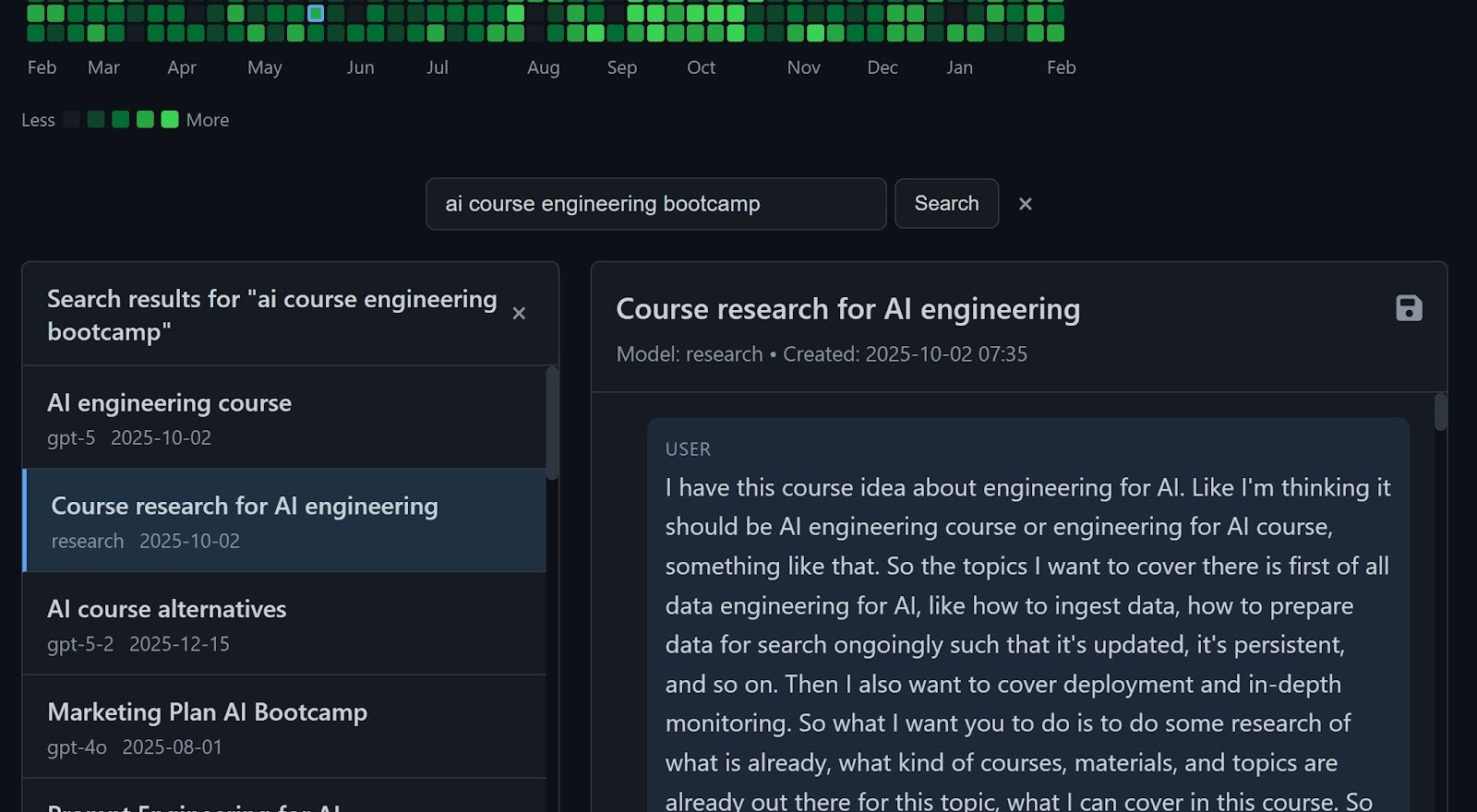
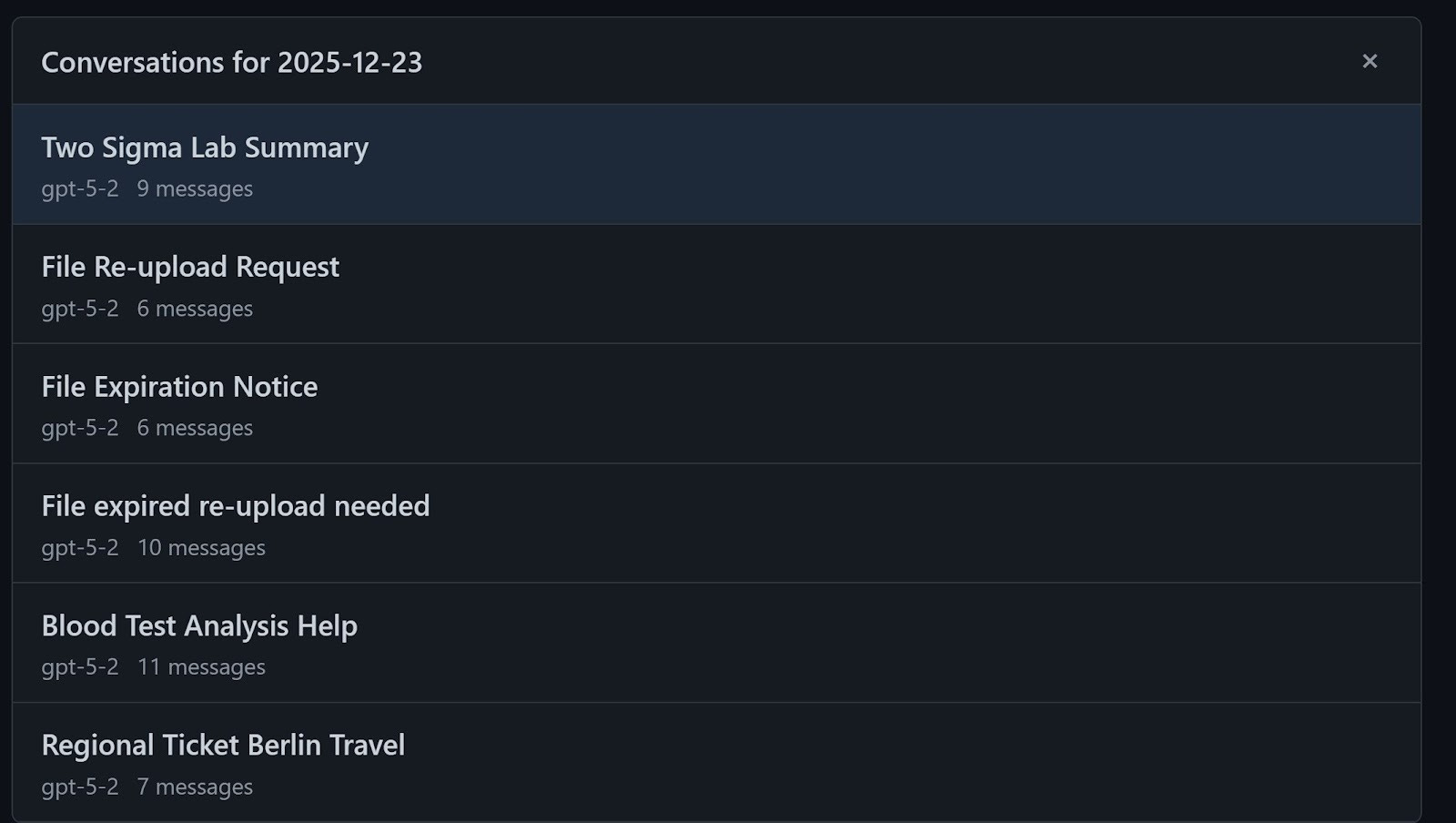
The interface allows you to select a specific date and view all conversations from that day, including their titles and message counts. This made browsing older material much easier than relying on the web UI.
Future Plans
The tool is already usable. You can export your ChatGPT data, run the viewer, and search your entire history locally.
That said, there are a few improvements I may implement:
Better handling of corrupted ZIP archives in ChatGPT exports
A simplified CLI entry point such as uvx chatgpt-viewer path/to/archive.zip
Clearer documentation for others who want to run it on their own data
The core functionality is stable. The next step is to polish usability and make it easier for others to adopt.
What I’ve Been Working On Recently (Needs input from Alexey)
1) AI Engineering Newsletter Series
Inspired by your response to my research on the AI Engineer role, I’ve decided to share my insights through a structured newsletter series.
Every Wednesday, you’ll receive a focused article that explores a specific aspect of the AI Engineer role in depth. The newsletter will include a concise version, along with a link to a more detailed article on the AI Shipping Lab website. This week, I’ve published an article that outlines my current view of the AI Engineer role.
2) AI Engineer Live Research Series
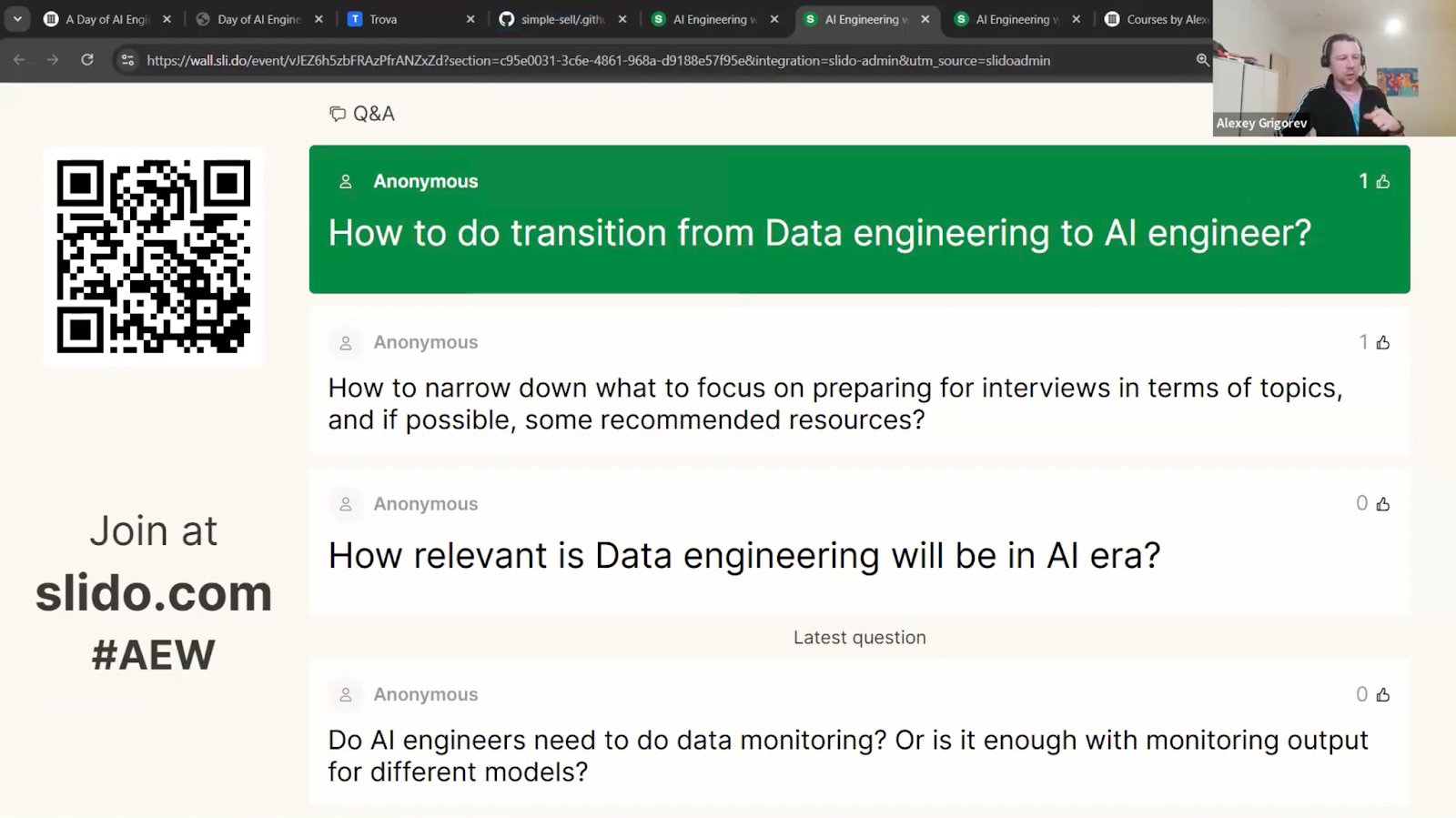
On Tuesday, I hosted the second live session of my event series called “Defining the AI Engineer Role,” with 200 attendees. I shared some data-driven insights from 895 unique job descriptions. A quick look at the skills analysis I presented: companies are looking for strong software engineering fundamentals, production skills, and system design abilities. Plus, RAG (Retrieval-Augmented Generation) and evaluation are popping up as key technical patterns.
Check out the full analysis here:
The next event in the series, “AI Engineering: The Interview Process,” will be live on Zoom next Tuesday. We’ll dive into real-world interview data, including what companies are expecting, the types of technical and conceptual questions you might face, and some live coding challenges. Don’t forget to register so you can get the link to join!
3) In-Person Workshops

On March 10, I’ll host a hands-on data engineering workshop at Exasol Xperience 2026. We will work through a full, realistic pipeline using Exasol Personal on AWS, ingest and clean more than 1 billion rows of NHS prescription data, and finish with an AI-powered analytics dashboard for fast exploration. Members of the DataTalksClub community can attend the conference for free using the code EXA-VIP-RDTC. But you have to register for this workshop separately because we will check the list at the entrance.
My Experiments
1) SQLiteSearch Benchmarking
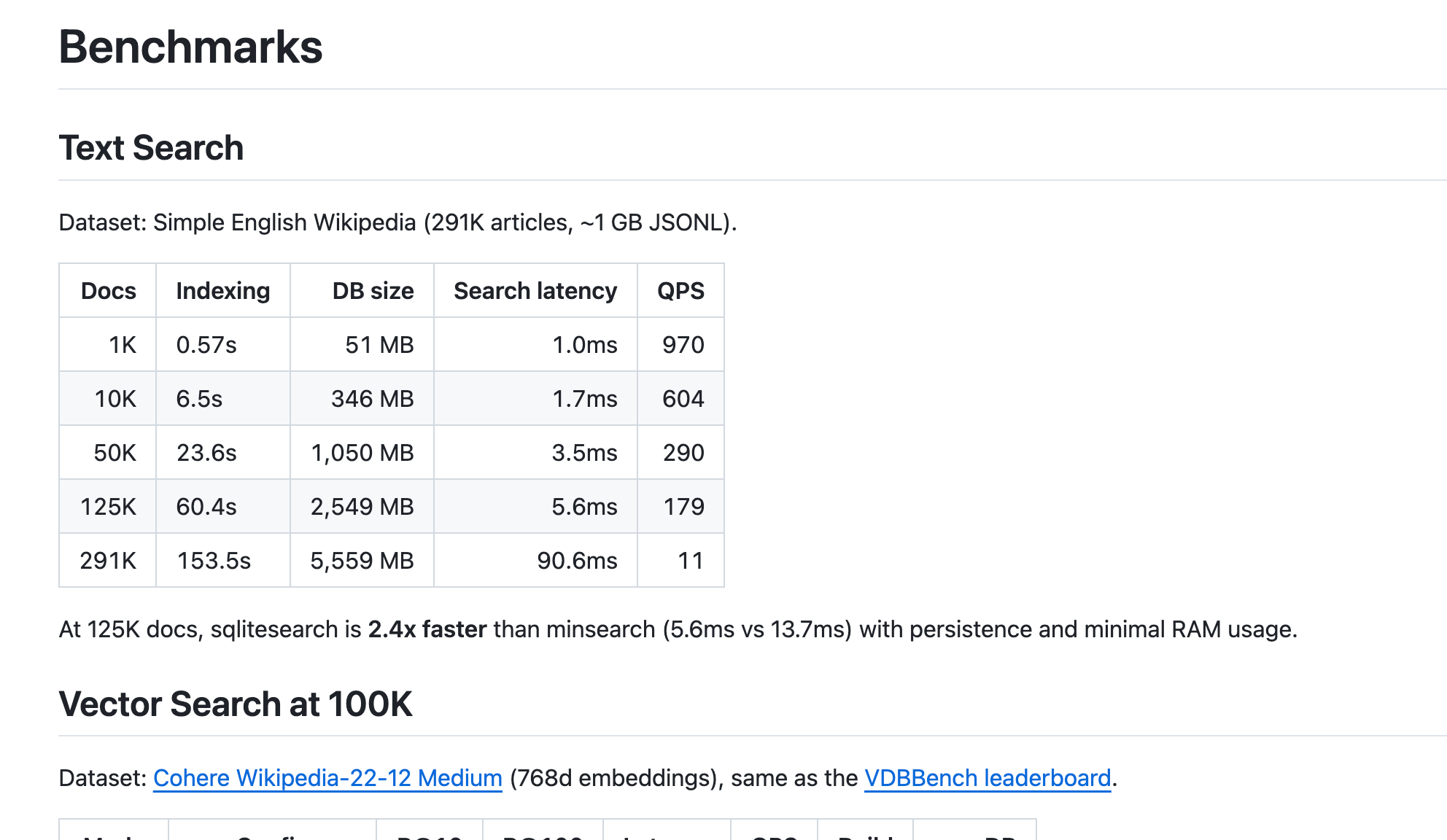
One person commented on my article about SQLiteSearch, asking if I had benchmarked the library, and I hadn’t yet. So, I decided to give it a try. I tested it with 100,000 and 1 million records and found that the LSH-based vector search didn’t scale well. I replaced LSH with HNSW, which Claude had suggested, and I’m currently implementing it. I’ll share the updates in a separate newsletter once I wrap up the project.
2) Telegram Writing Assistant’s New Features
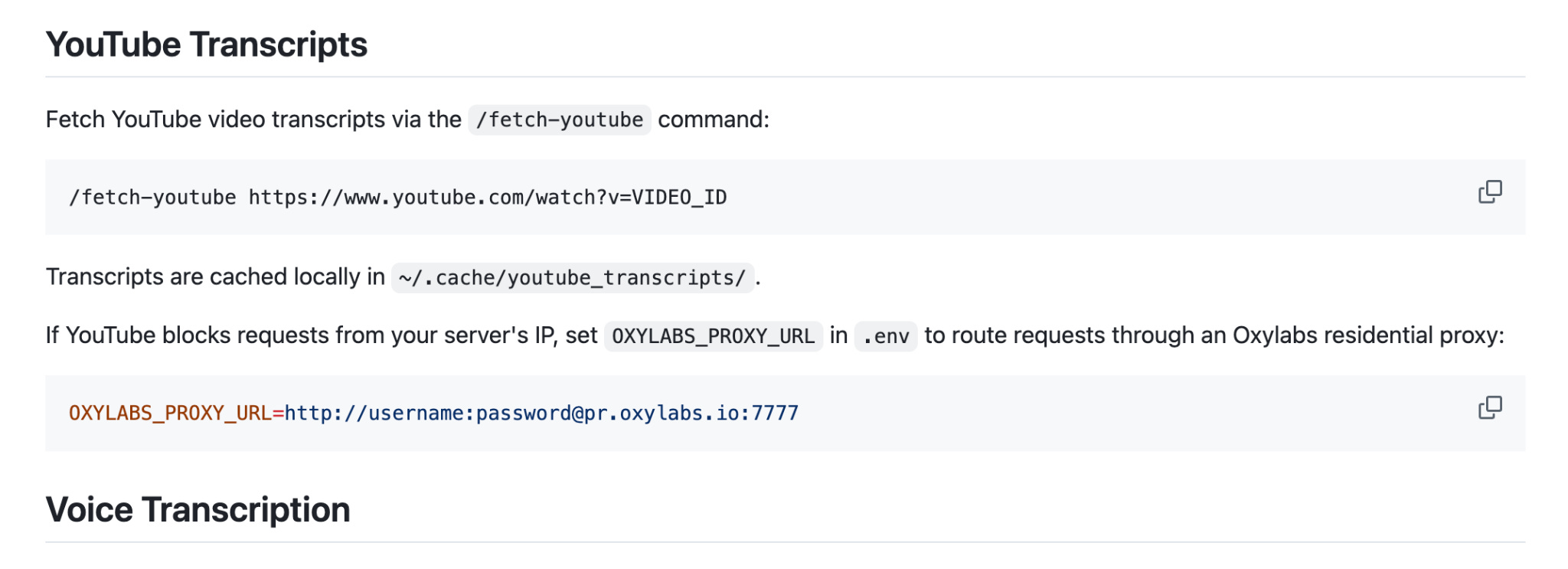
I’m expanding and improving my Telegram Writing Assistant. I just added new features: the bot can now handle audio files recorded outside of Telegram and process them through the same Whisper transcription pipeline. Plus, it can grab transcripts from YouTube URLs and process them. I’ll be writing up an article about these updates soon, so stay tuned.
3) AI Shipping Labs Development
I tested several features on the AI Shipping Labs website. I set up OAuth tokens for Gmail and GitHub, and I successfully integrated Zoom by adding a one-click button for meeting creation. I reviewed both the admin panel and the user dashboard. I also created a logo with ChatGPT and attempted to convert it to SVG. All integrations, including Gmail, GitHub, Zoom, Slack, and Stripe, are now successfully connected. These changes are not yet pushed to the website.
Tools
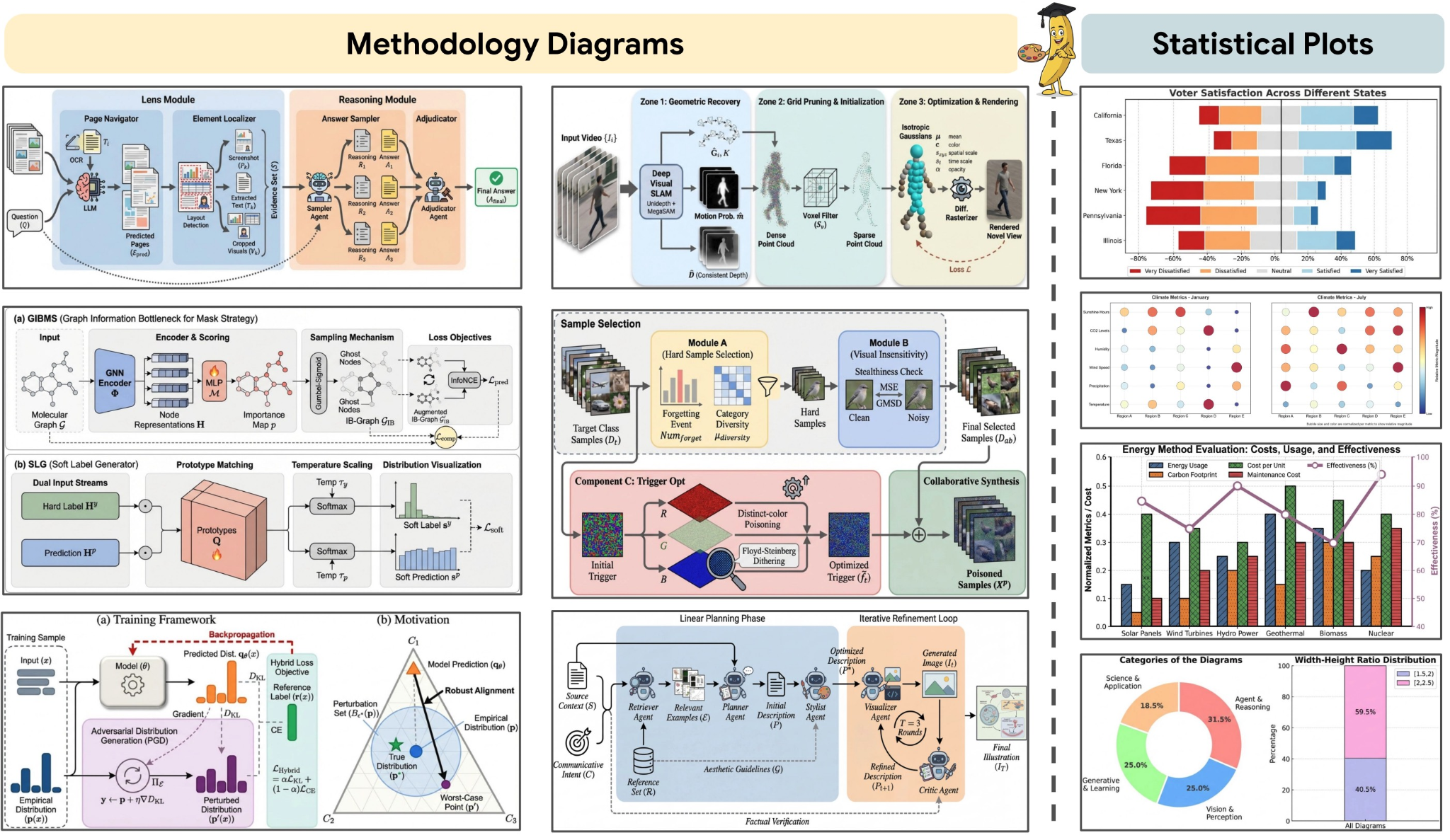
PaperBanana: an agentic framework that automates the creation of publication-ready methodology diagrams and statistical plots directly from paper text, references, or even rough sketches. By orchestrating specialized agents for retrieval, planning, rendering, and self-critique, it reduces the manual bottleneck of academic illustration while maintaining scientific accuracy and visual consistency. It is built specifically for researchers who want high-quality figures without spending hours in drawing tools.
Dexter: an autonomous financial research agent that thinks, plans, and learns as it works. It performs analysis using task planning, self-reflection, and real-time market data. Think Claude Code, but built specifically for financial research. It features intelligent task planning, autonomous execution, self-validation, real-time access to financial data, and safety features such as loop detection and step limits.
Resources
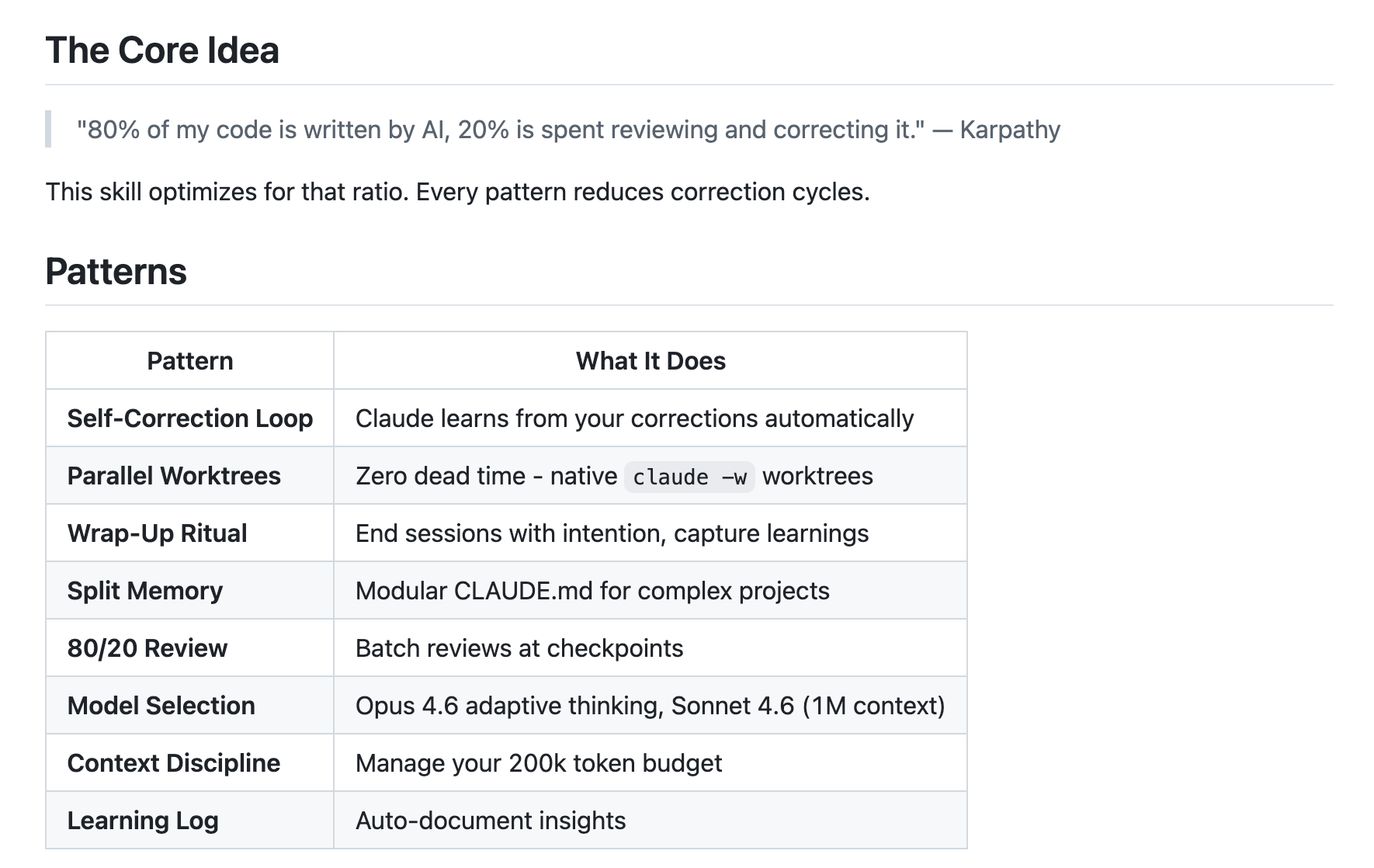
Pro Workflow: a collection of battle-tested AI coding practices for Clause Code and Cursor that helps engineers maintain an effective 80/20 AI-to-review ratio. It reduces correction cycles through self-correction loops, disciplined context management, and intentional review rituals, turning AI-assisted coding into a repeatable, production-ready workflow.
You Could’ve Invented OpenClaw: a tutorial by Nader Dabit that walks through building a persistent AI assistant from scratch, starting with a simple Telegram bot using the Anthropic API. It incrementally adds sessions, personality, tool use, multi-channel support, memory, and scheduled tasks, arriving at a ~400-line “mini OpenClaw” clone. Since I’ve already built my own Telegram bot, I found it really interesting to see how someone else tackled the same challenge!
Edited by Valeriia Kuka