
How I Built a Telegram Assistant That Turns Brain Dumps into Structured Markdown
It processes voice notes, links, and files, analyzes them, and automatically versions the results in GitHub. Plus, my experiment with testing agent and a list of valuable resources.

One Thing I Want to Share This Week
I work on many projects, and most of the work happens before anything becomes public. This includes early thinking, small experiments, and intermediate workflows that usually disappear once a final result is ready.
That means you can only see the final results of my work: finished projects, talks, or materials. Everything that led to them remains invisible.
As I started this Substack, I realized I want to share my background work too because it’s an important part of what I do. It helps you understand how I approach my projects and, hopefully, gives you new ideas.
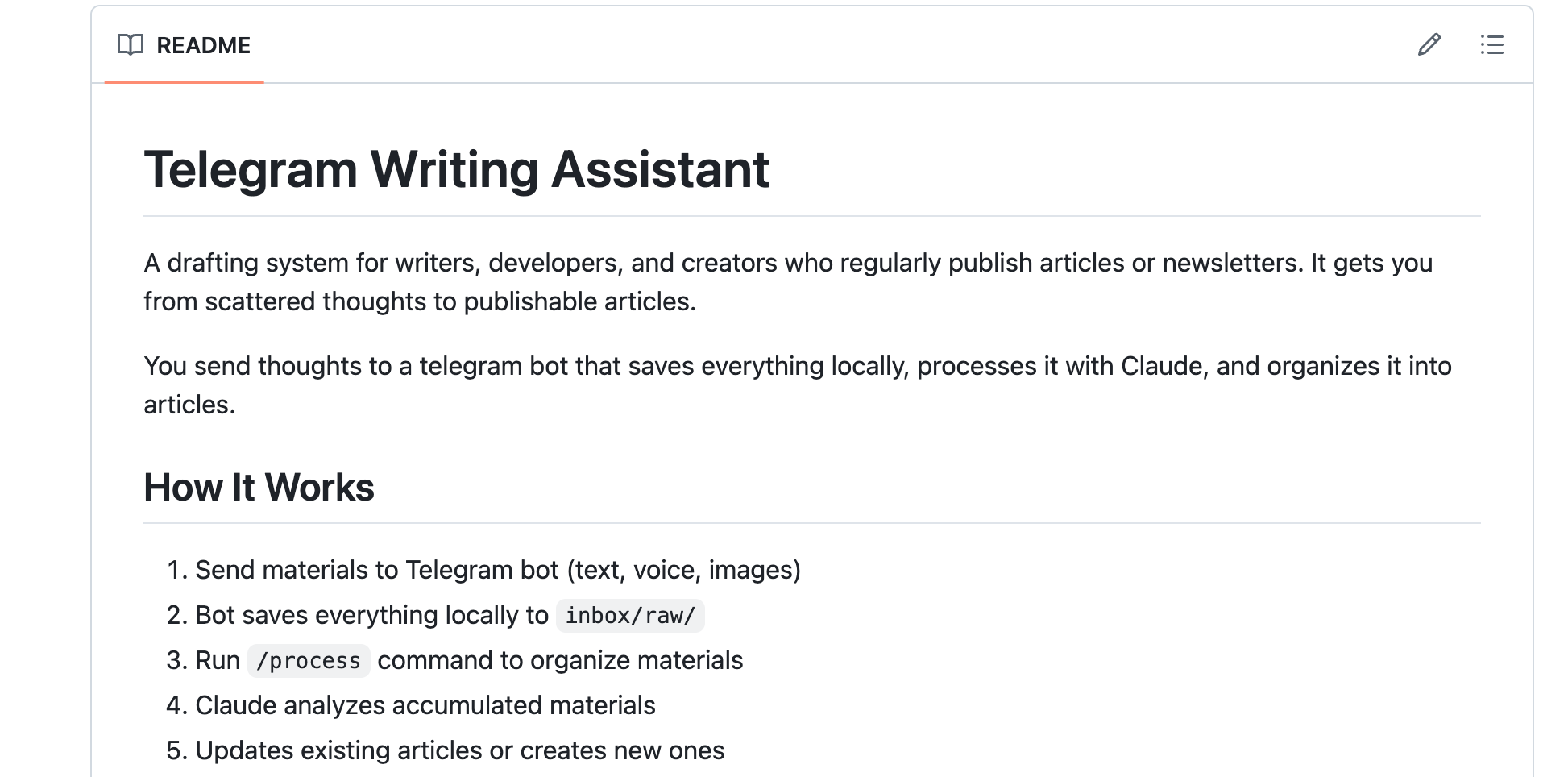
To help myself capture that background work, I built a Telegram-based writing assistant using Claude Code agents. It can process my raw voice notes, files, and text messages into structured articles and store them in a GitHub repository.
I want to explain how I built the system, how it works, and how you can adapt the same approach for your own workflow.
Origin Story
Initially, when I started recording ideas using Telegram as a brain dump, there was no assistant to help me. I just created a new chat for my team and me, and collected my ideas there so we could use them to produce content. That was a great starting point and a key factor in creating the first editions of this newsletter.
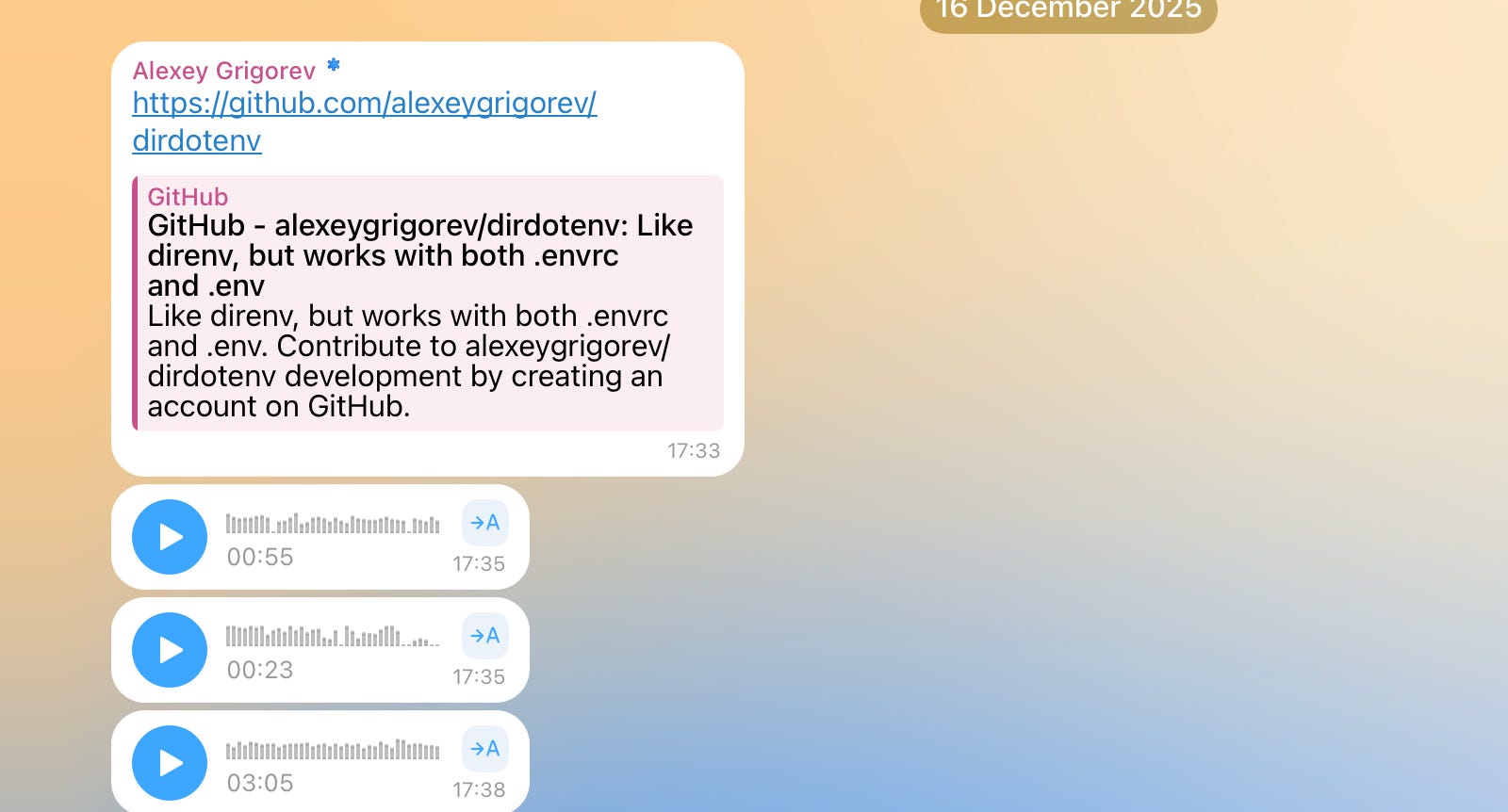
But it had one limitation: manual processing. Over time, my Telegram became overloaded with voice notes that quickly piled up into a long, unstructured list of raw materials. Some pieces belonged to the same topic. Others were partial thoughts, corrections, or follow-ups.
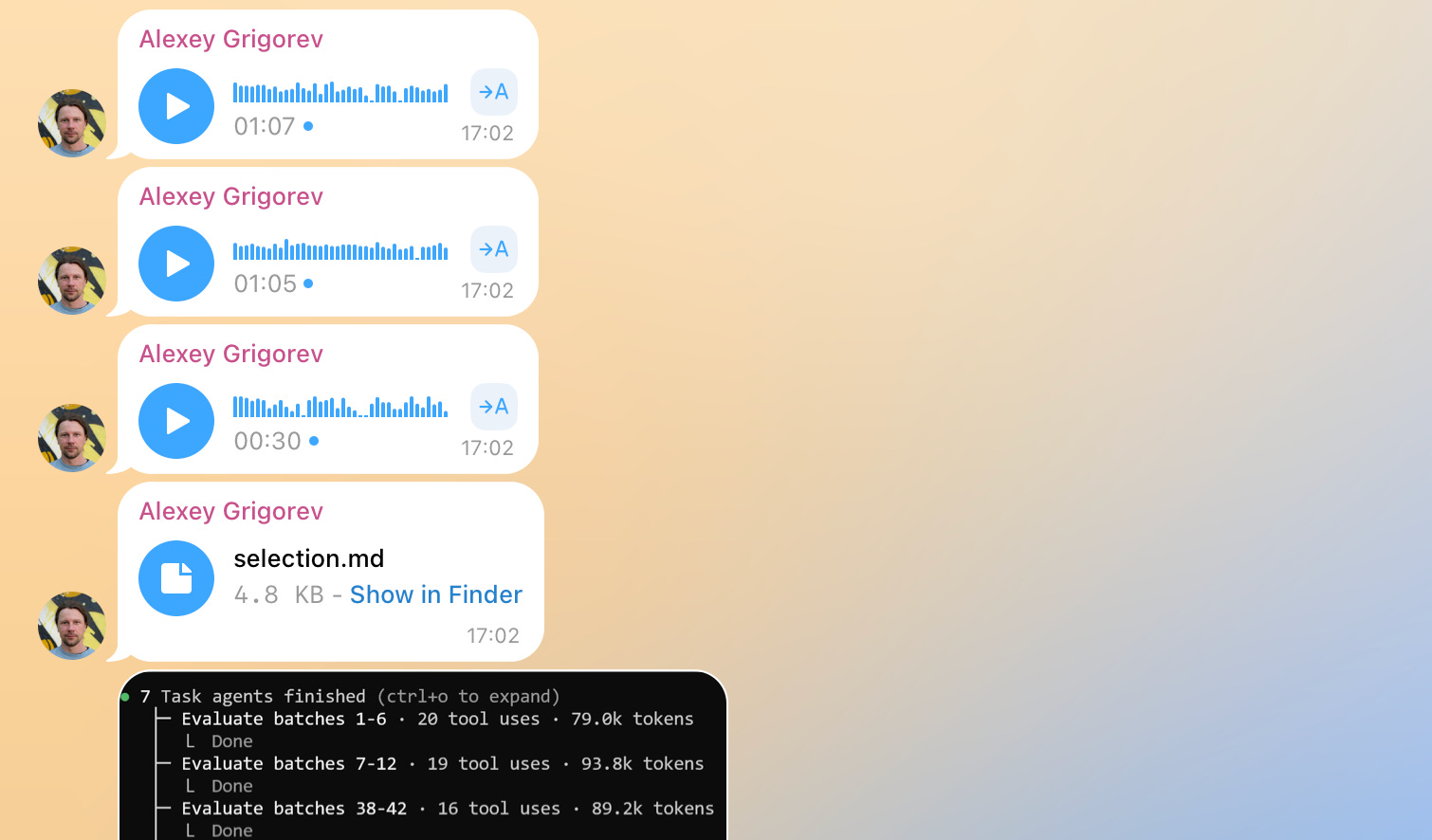
Turning this stream into something structured required rereading, sorting, and stitching everything together by hand. This was slow and mentally expensive.
This is how I started thinking about how to handle an incoming stream of background work so it can be organized and transformed into pieces I could share publicly.
How I Implemented the Telegram Assistant
I had an initial vision for how the assistant should work and decided to iterate on it using ChatGPT.
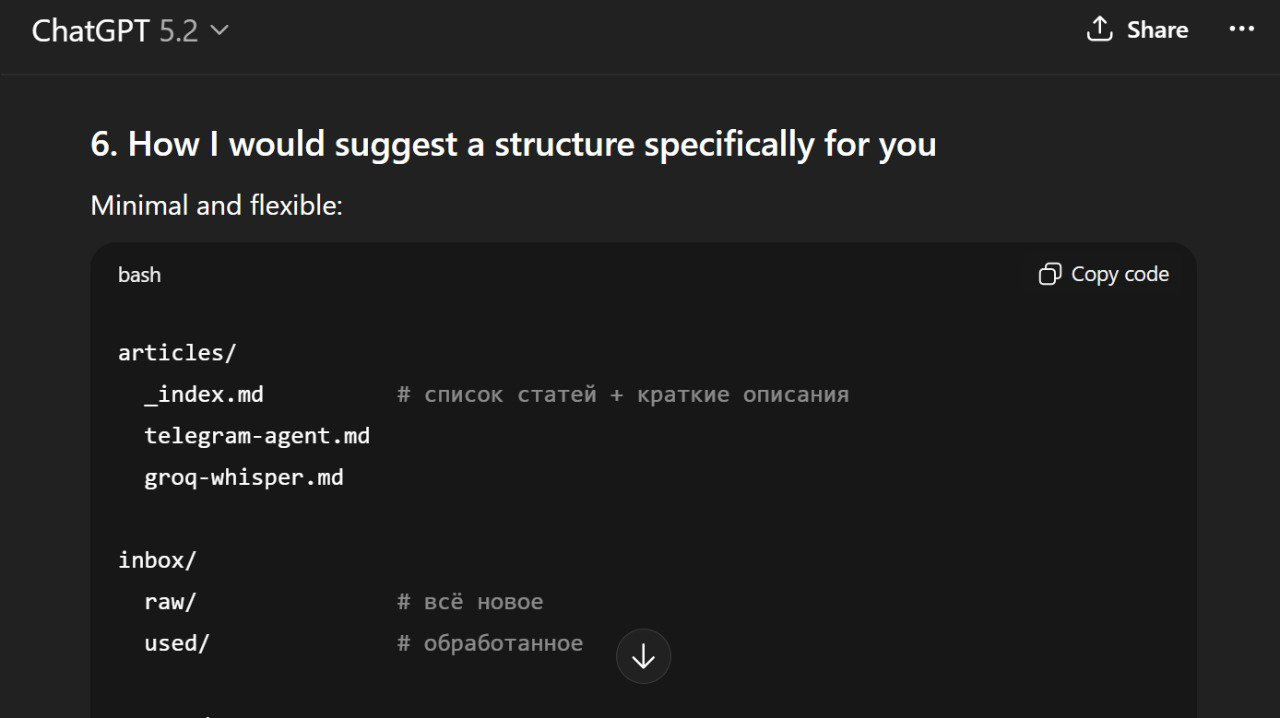
I recorded voice messages, discussed the workflow, and refined the process description until it was clear enough to write down. At the end, I asked ChatGPT to save our conversation as a summary.md file, which became the system specification. It was initially in Russian, but I translated it into English for you.
I usually use ChatGPT to refine my vision before starting any new project. It helps me to better understand what I want to build and how I want to do it.
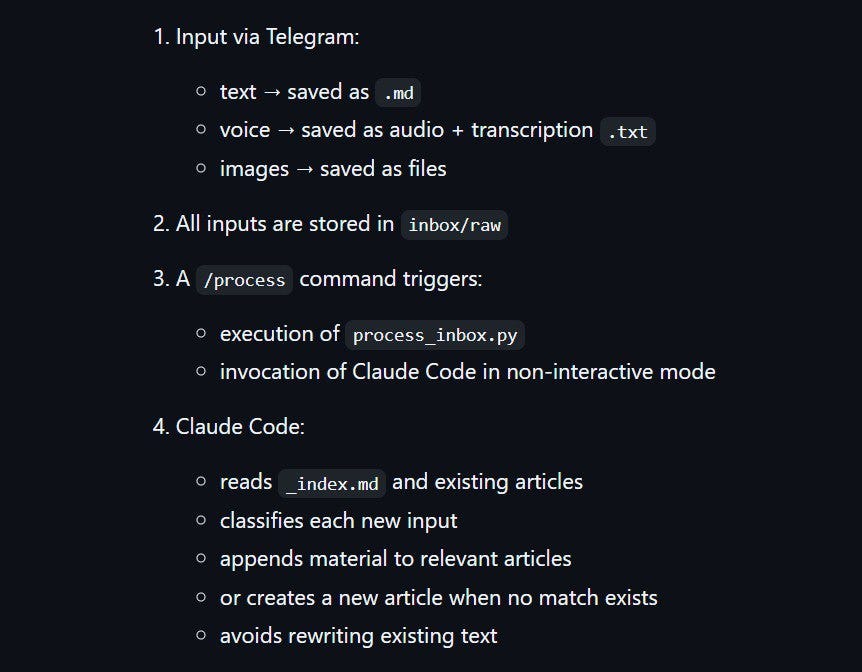
I didn’t want to implement the system described in summary.md myself. Instead, I asked the Claude Code agent to follow that description and build it. This produced the first working version.
Claude created a Telegram bot that lives in my chat and connected it to a GitHub repository that stores the specification and all subsequent updates from the chat.
I then tested the system by using it as intended: sending messages and recording improvement ideas as voice notes, without leaving the same workflow I was trying to optimize. Claude processed those messages and updated the system.
Here is what the final version looks like.
How the Final Version Works
Telegram Assistant follows this workflow:
1. Capturing
All interaction starts in a Telegram chat. I send text messages, voice notes, images, or files to the bot. Everything is saved locally on my laptop as raw input.
2. Processing
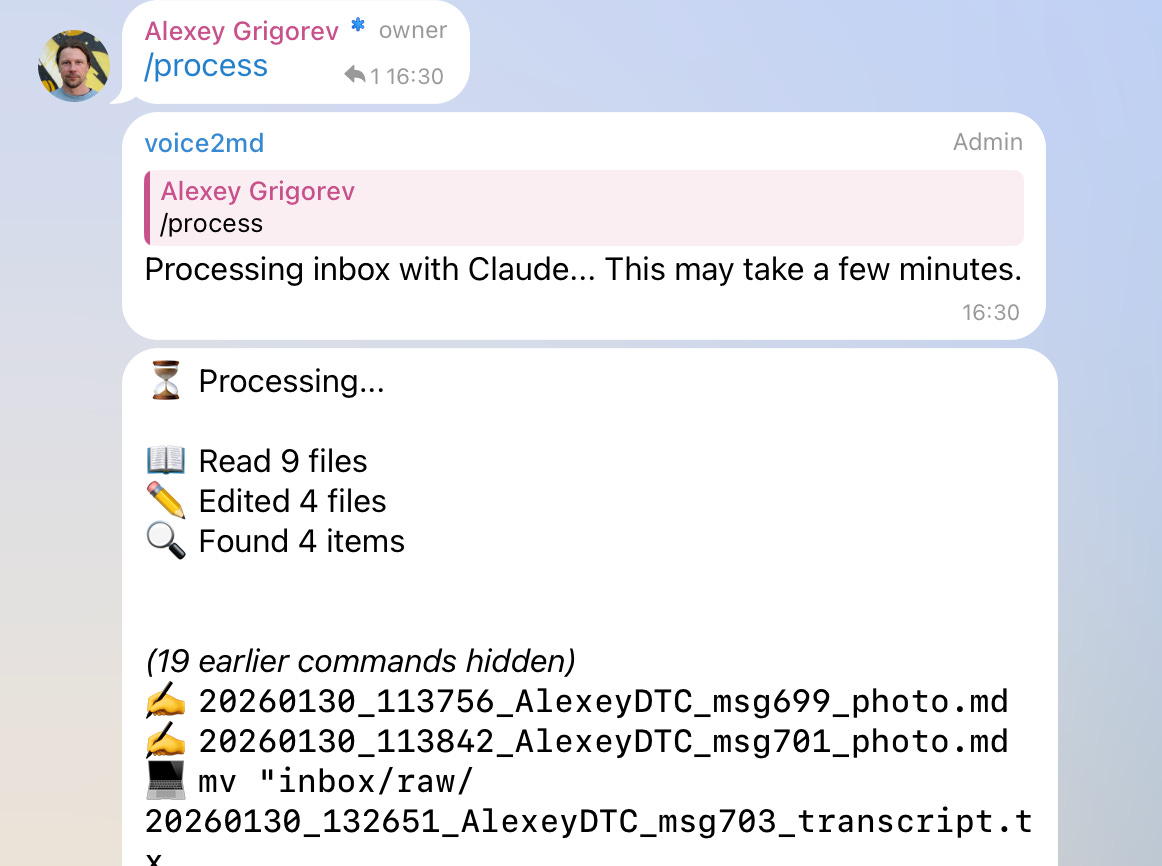
When I run the /process command, the assistant reads all accumulated materials as a batch. For each item, it decides whether the content belongs to an existing article or should start a new one. Articles are updated incrementally rather than regenerated from scratch.
3. Versioning and Feedback
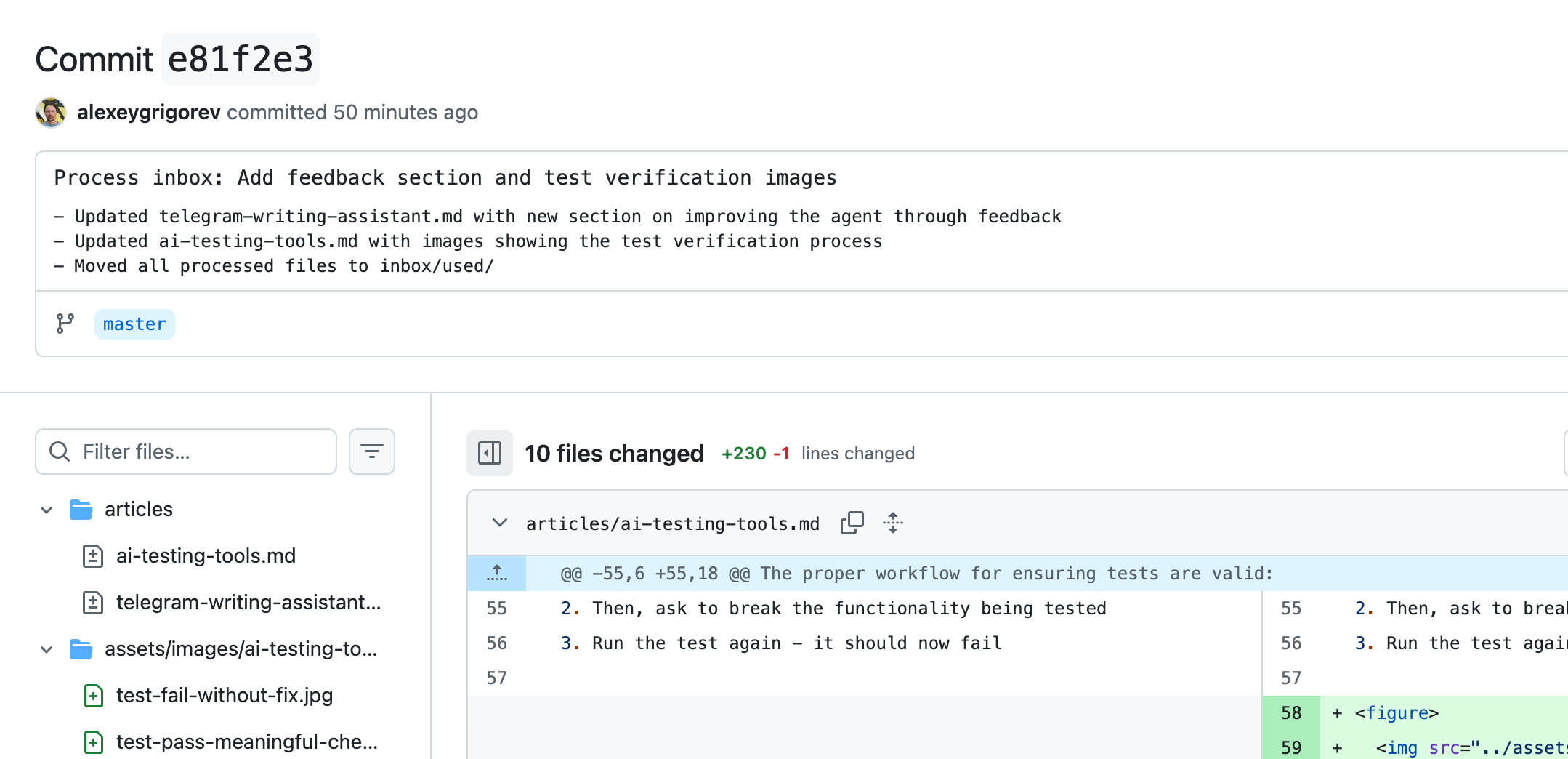
Once processing is complete, all changes are committed to a GitHub repository. The commit is created by the assistant. It shows what it changed and why. The agent also sends a link to the commit back to the Telegram chat.
4. Updating the Configuration
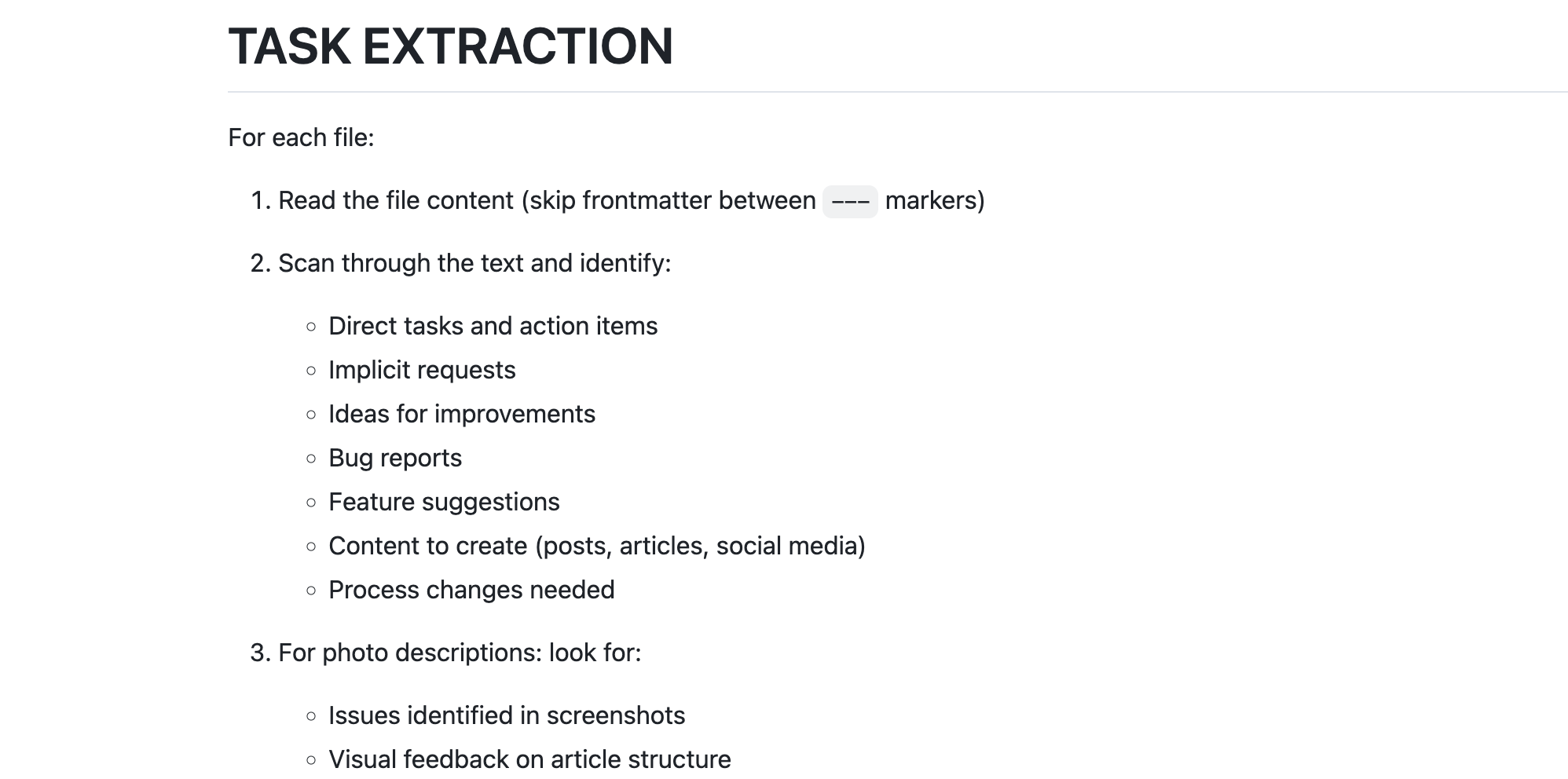
If I need the agent to update its configuration, including the system prompt and the code it’s based on, I can record improvement ideas as voice notes in the same chat. I can also add images if necessary. I then run the /check-tasks command. The assistant processes all the messages in the chat and looks for bug reports, feature suggestions, etc. After that, it updates the prompt or code accordingly, and commits updates to the repository.
Technical Capabilities
The final version of the assistant combines a small set of focused technical capabilities:
1. Voice Transcription
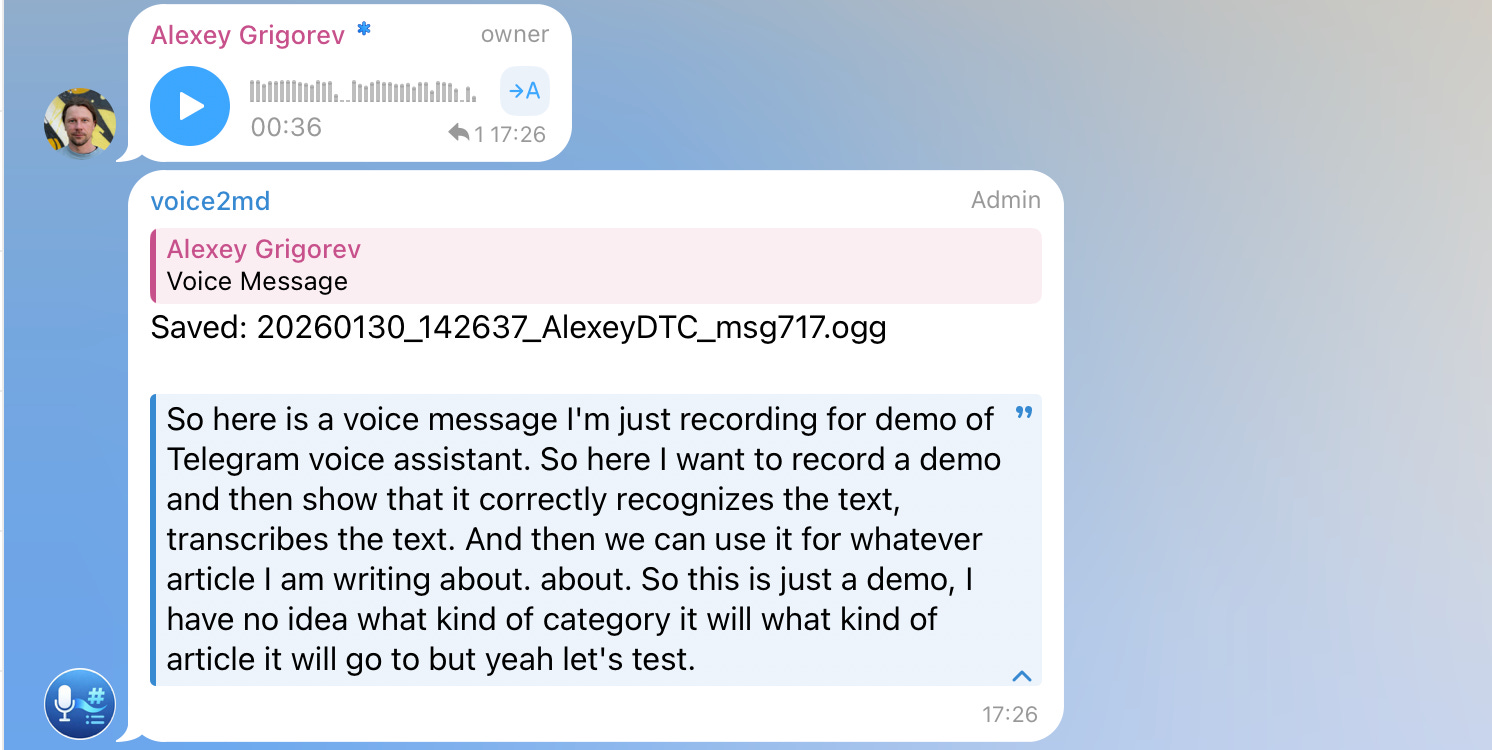
Voice messages are transcribed automatically using Whisper via Groq. After transcription, the original audio files are removed. Only the extracted text is kept and used for further processing. This ensures that all downstream steps operate on text, regardless of how the input was originally captured.
2. Image Processing
Images sent to the bot are processed and described using Groq Vision. Each image is then moved into a structured directory under assets/images/{article_name}/. This makes images first-class inputs that can be referenced in articles rather than remaining as detached chat artifacts.
3. Multilingual Input Handling
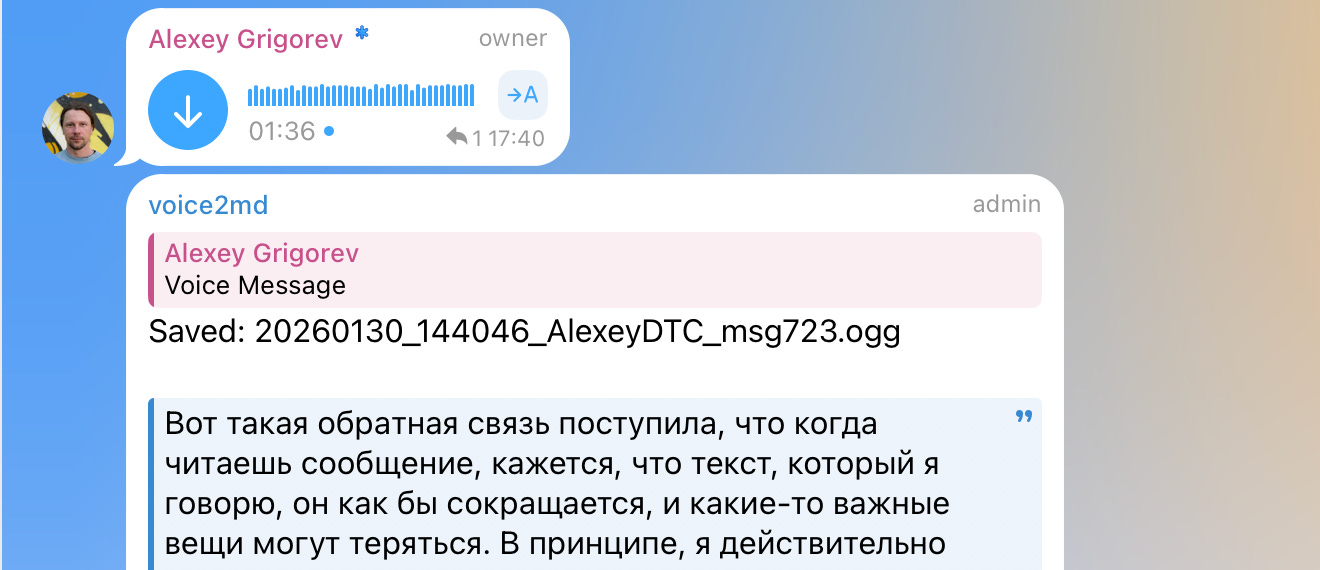
In practice, voice notes are often recorded in Russian, while articles are written in English. During processing, Claude translates all content into English, which is treated as the target language for articles. This removes language constraints from the capture phase.
4. Link Fetching and Summarization
Links dropped into the chat are fetched during processing. Relevant content is summarized and incorporated into the appropriate article, rather than being stored as raw URLs. This keeps external references integrated with the surrounding context.
5. Git-Based Orchestration
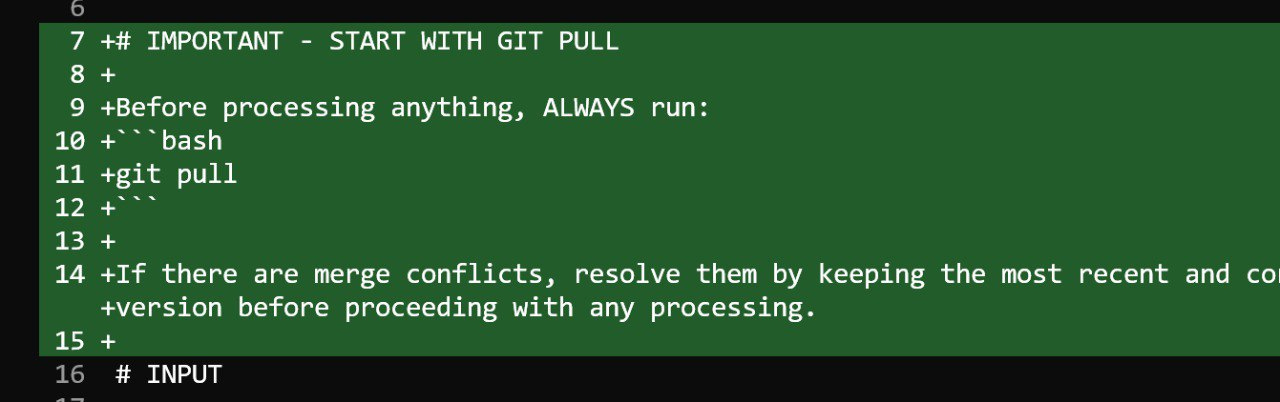
All updates are committed to a GitHub repository. Each processing run results in a concrete diff that shows exactly what changed. The agent can also follow natural-language instructions such as running git pull before processing to ensure it is working with the latest state.
Demo
Here’s a demo of the entire process
The source code is here: https://github.com/alexeygrigorev/telegram-writing-assistant
Let me know in the comments if you liked it and want to try creating something similar!
My Experiment
End-to-end testing is one of the most painful parts of web development. Verifying full user flows is slow, and traditional tools like Selenium or Playwright produce tests that are hard to read and fragile, especially when AI coding assistants increase the risk of regressions.
I recently experimented with TestMu AI and its KaneAI automation test agent. Instead of writing browser scripts, I described test scenarios in plain English and let the agent execute them. I tried this on parts of the DataTalks.Club course platform. The tool still needs fine-tuning, but it already removes much of the friction of maintaining Selenium-style tests.
The main shift is how tests are defined. Writing intent in natural language makes them easier to reason about and verify. You still need to confirm that tests fail when something breaks, but tools like TestMu AI make end-to-end testing easier to work with and faster to iterate on.
What I’ve Been Working On Recently
1. AI Engineering Buildcamp
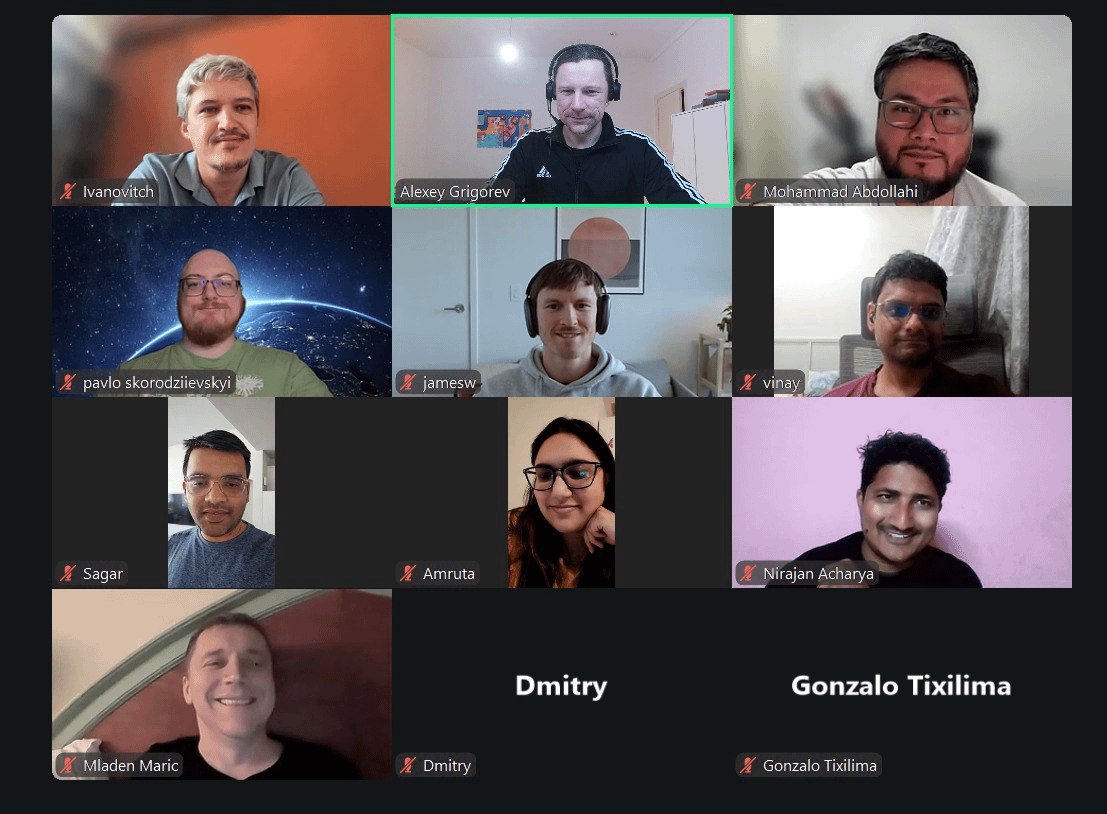
We began the second cohort of the AI Engineering Buildcamp this Monday. It was great to see so many people live, meet the group, and set the tone from the first session. I walked through the full course structure, explained how everything connects, and outlined what we’ll be building over the coming weeks.
If you’re still considering joining, I’ve extended the payment deadline to next week. Even if you join a bit late, you can still catch up. You can enroll here: https://maven.com/alexey-grigorev/from-rag-to-agents
2. Community Survey on Tools for ML, Data Engineering, AI Engineering and Chatbots
At DataTalksClub, we also published the results of our latest survey on how professionals use AI, data engineering, MLOps, and developer-focused AI tools in practice. We had slightly fewer participants this year, but the results are still very interesting. They show what teams are experimenting with and where they plan to invest next.
We’ll use these insights to shape future courses and events in the community. For each survey submission, we also planted a tree as a small way to give something back. Thanks to Valeriia for preparing the survey and building the visualizations.
Courses
AI Agents Email Crash-Course: a free AI Agents Email Crash-Course. In 7 days, build a complete AI agent that deeply understands your codebase and can help with real development tasks.
Data Engineering Zoomcamp: a free 9-week course on building production-ready data pipelines: ingestion, orchestration, warehousing, analytics, and more. The new cohort started on January 12, and more than 25,000 people have registered for this course. You can still join and catch up with Module 1 learning materials.
LLM Zoomcamp: a free online course about real-life applications of LLMs. In 10 weeks, you will learn how to build an AI system that answers questions about your knowledge base. A new cohort will start around May-June 2026.
Interesting Resources
Claude Code and Large-Context Reasoning: materials from a hands-on O’Reilly Live Learning course by Tim Warner that teaches how to build production-ready AI-assisted development workflows with Claude Code. It covers large-context reasoning, MCP-based persistent memory, agents, and custom skills, with practical examples for code review, automation, and CI/CD.
awesome-slash: a curated GitHub list of tools, patterns, and projects built around slash-command interfaces. It’s a practical reference for anyone designing command-driven workflows, bots, or developer tools that rely on concise, action-oriented commands instead of complex UIs.
Edited by Valeriia Kuka
Amazing writeup!
I have a script through slack that lets me message gpt, I dump an idea then a few minutes later I get a document emailed to me that’s been pre-researched by gpt. That gets added as a task, then a daily summary of everything that occurred follows that evening. It’s been a game changer for me.